September 15, 2026 · Updated September 25, 2026
Schema Markup for AI Search: The Structured Data That Helps You Get Cited

TL;DR
Schema markup will not force ChatGPT or Google to cite you, but it removes the ambiguity that makes machines unsure about what your business is. Here is which schema types matter for AI search, how to add them, and how to test them.
In This Article
Schema markup is structured data you add to your website's code to tell search engines and AI tools exactly what your content means. A page might say "Open 9 to 5" in plain text, and a human reads that instantly. A machine has to guess. Schema removes the guessing by labelling the parts: this is a business, these are its hours, this is its phone number, this is a customer review. When AI tools like Google's AI Overviews, ChatGPT, and Perplexity assemble an answer, that clarity can help them read your business details accurately. Google has said there is no special schema you need to add to appear in AI Overviews or AI Mode, so treat schema as good hygiene rather than a ticket into AI answers.
Here's the honest version up front, because you will read a lot of inflated claims about this. Schema markup doesn't guarantee that an AI engine will cite you. There's no setting that buys you a spot in an AI answer. What schema does is remove ambiguity, and reducing ambiguity is a real advantage when a machine is deciding which sources it trusts enough to quote. Think of it less as a megaphone and more as making your business legible to software that's reading at scale.
This article walks through what schema is, which types matter for AI search, how to add it without breaking anything, and how to confirm it works. If you want the bigger strategic picture of being chosen by answer engines, our pillar on answer engine optimization covers that. This piece is the technical layer underneath it.
What is schema markup, in plain terms?
Schema markup is a shared vocabulary, maintained at Schema.org, that the major search engines agreed to support back in 2011. It gives you standard labels for the things on a page: a person, a product, an event, an organization, a review, a frequently asked question. You wrap your existing content in those labels so software doesn't have to infer meaning from layout and wording alone.

The recommended format is JSON-LD, which stands for JavaScript Object Notation for Linked Data. Instead of mixing labels into your visible HTML, JSON-LD sits in its own small script block in the page code. It doesn't change anything a visitor sees. It's a separate, clean layer of facts that machines read directly. Google has stated a preference for JSON-LD over the older inline formats, and most modern tools generate it by default.
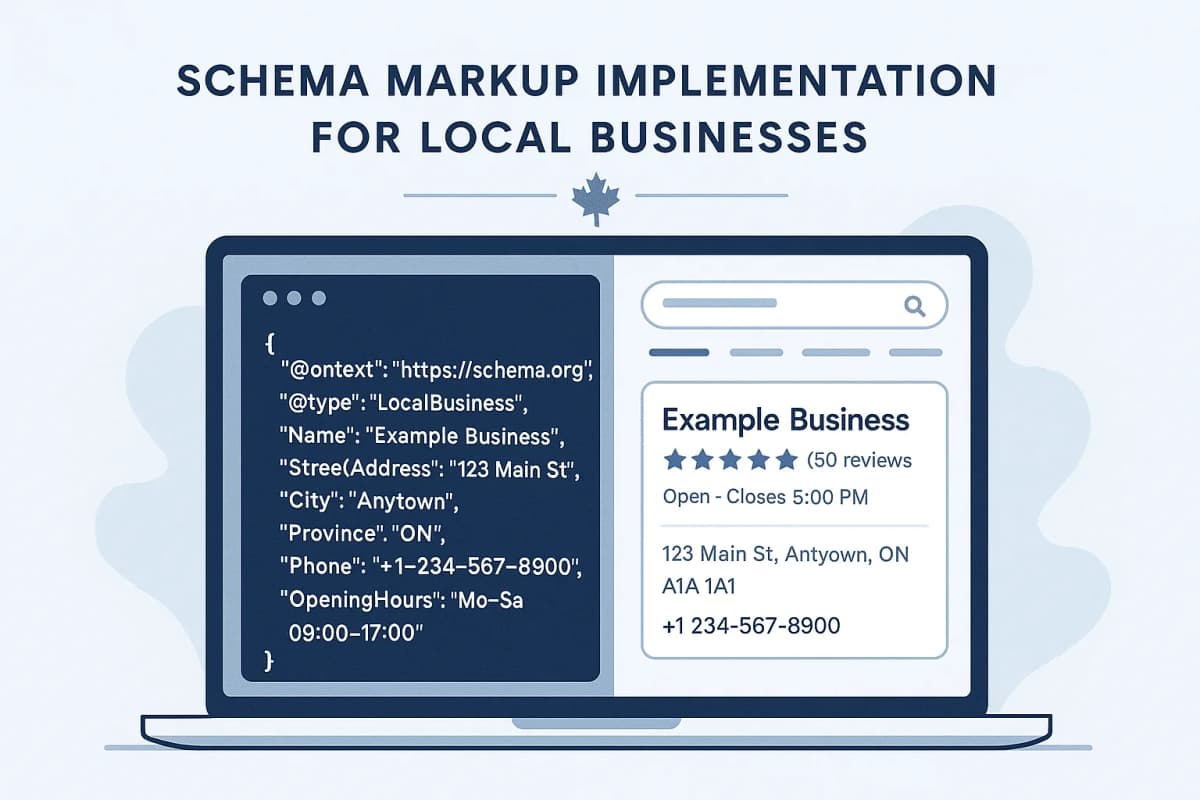
A simple example: your contact page already shows your business name, address, and phone number. Adding LocalBusiness schema restates those same facts in a structured block so there's no doubt that "Maple Street" is a street and not a product, and that the ten-digit number is a phone line and not an order ID. Same information, zero ambiguity.
How does structured data help you get cited by AI?
AI answer engines don't read pages the way a person browses. They process enormous amounts of content and have to decide, quickly, what a page is about and whether it's trustworthy enough to repeat. Structured data helps in three concrete ways.
- It confirms identity. Organization and LocalBusiness schema tie a page to a specific real entity with a name, a location, and contact details. That makes it easier for a machine to attribute a fact to the right business rather than confusing you with a similarly named one.
- It clarifies content type. Article schema signals that a page is editorial content with an author and a publish date. Product schema signals a thing for sale with a price. FAQPage schema signals explicit question and answer pairs. Knowing the type helps an engine decide how to use the page.
- It exposes the facts cleanly. Hours, prices, ratings, and answers sitting in a structured block are easier to extract accurately than the same details buried in prose.
Be careful with the numbers floating around this topic. Some vendors quote figures like content with schema being two or three times more likely to appear in AI answers. Those figures come from correlation studies. When Ahrefs tracked 1,885 pages that added schema, in a study published in May 2026, citations in ChatGPT and Google's AI Mode did not meaningfully change. The sensible reading is that schema is a clarity signal, not a ranking lever. It works alongside genuine topical authority, accurate information, and content that answers the question. We unpack the selection side of that equation in how to get cited by ChatGPT and Perplexity.
Which schema types matter most for AI search?
You don't need every schema type that exists. For a typical Canadian small or local business, a handful does almost all the work. Here's where to focus.

Organization and LocalBusiness
This is the foundation. Organization schema describes your company as an entity: legal name, logo, website, social profiles, and the like. LocalBusiness is a more specific version for businesses with a physical location or service area, and it adds address, geographic coordinates, opening hours, and price range. If you serve customers in a defined region, this is the schema that helps machines understand who you are and where you operate. Pair it with a well-kept Google Business Profile so the same facts line up across sources.
FAQPage
FAQPage schema marks up genuine question and answer pairs on a page. It can still be worth adding for a simple reason, even though Google stopped showing FAQ rich results in May 2026. Its format mirrors how answer engines structure their own responses. A clean question with a clear, self-contained answer is close to ready to lift. The catch is that the questions must be real ones a visitor would ask, and the answers must appear on the page. Don't invent FAQs purely to game schema.
Article
For blog posts and guides, Article schema records the headline, author, publish date, and last updated date. AI tools often favour content that signals freshness and clear authorship, and Article schema makes those signals explicit rather than something a machine has to dig for.
Product and Review
If you sell things online, Product schema describes each item with its name, description, price, and availability, and it can nest review and rating data. Review and AggregateRating schema express customer sentiment as structured numbers, which is far easier for a machine to read than a wall of testimonials. One caution. Google does not show review stars for a business reviewing itself, and it says not to mark up reviews copied from other sites such as your Google Business Profile. If reviews are central to your business, our guide on getting more Google reviews pairs well with this.
Free Offer
Want to know what's hurting your website?
We'll review your site and tell you exactly what to fix, no strings attached.
Get Your Free AuditBreadcrumbList
BreadcrumbList schema describes where a page sits in your site's hierarchy, such as Home, then Services, then Web Design. It helps engines understand structure and relationships between pages, which supports the broader picture of your site as an organized source rather than a pile of disconnected URLs.
For a deeper, implementation-level walkthrough of each of these types with examples, our complete schema markup guide for Ontario businesses goes further than we can here.
How do you add schema to your website?
There are two practical paths, and which one fits depends on your platform and your comfort with code.
Platform tools and plugins
Most website platforms can handle schema without you touching code. WordPress sites usually use an SEO plugin such as Yoast or Rank Math. Both generate Organization, Article, and breadcrumb schema automatically and include FAQ blocks. Rank Math's free version also handles local business details, while Yoast needs its paid Local SEO add-on for them. Shopify, Squarespace, and Wix produce baseline schema for products and pages on their own, with apps available to extend it. For most owners, configuring a reputable plugin correctly is the right answer. It's faster, it stays valid through updates, and it scales across every page without manual effort.
Hand-written JSON-LD
When you need control the plugin doesn't give you, you write the JSON-LD by hand and drop it into the page's head section. This suits custom-built sites and one-off pages with unusual requirements. The structure is approachable once you have seen a few examples, and Schema.org documents every type and property. If you're on a custom site and not sure where this should live, this is the kind of thing we handle as part of our search engine optimization work, and it often surfaces during a technical SEO audit.
A few rules apply either way:
- Schema must match the visible page. Marking up a price or a review that doesn't appear on the page violates the guidelines and can get you ignored or penalized. Structured data describes what is there, it doesn't add new claims.
- One source of truth per type. If your plugin already outputs Organization schema, don't also hand-write a second block. Duplicate or conflicting markup confuses the very machines you're trying to help.
- Keep it current. Hours, prices, and addresses change. Stale schema is worse than none, because it tells software something false with confidence.
How do you test that your schema works?
Never assume schema is correct just because you added it. A single misplaced bracket can invalidate the whole block. Two free tools handle the checking, and they answer different questions.

- Schema Markup Validator (validator.schema.org) checks whether your markup is structurally correct against the Schema.org vocabulary itself. It catches syntax errors and invalid properties regardless of any one search engine.
- Google Rich Results Test (search.google.com/test/rich-results) checks whether Google can read your markup and what rich result it might qualify for. This is the one Google recommends starting with.
A sensible workflow is to validate structure first with the Schema Markup Validator, fix any errors, then run the Google Rich Results Test to confirm Google detects it. Paste in a live URL or the raw code, read the warnings, and resolve them before moving on. Once a page is live, Google Search Console reports structured data issues across your whole site over time, which is how you catch problems that appear after a template change or a plugin update.
Worth repeating, passing these tests means your schema is valid and readable. It doesn't mean an AI engine will cite you. Valid schema is the entry requirement, not the finish line.
Frequently Asked Questions
Does schema markup guarantee my business will be cited by AI?
No, and anyone promising that is overselling it. Schema removes ambiguity so machines can understand and attribute your content accurately, which improves your odds of being a clean, quotable source. Whether an AI engine cites you still depends on relevance, accuracy, topical authority, and how well your content answers the question being asked. Schema helps you qualify, it doesn't pick you.
What is the difference between schema markup and structured data?
People use the terms interchangeably and that's mostly fine. Structured data is the general concept of organizing information into a machine-readable format. Schema markup specifically refers to using the Schema.org vocabulary to do it, usually written in the JSON-LD format. When someone says "add schema," they almost always mean adding Schema.org structured data to your pages.
Do I need to know how to code to add schema?
Not usually. If your site runs on WordPress, Shopify, Squarespace, or Wix, an SEO plugin or a built-in setting generates valid schema for you, and you fill in fields rather than writing code. Hand-written JSON-LD only becomes necessary on custom-built sites or for unusual page types. Most small business owners get most of the benefit from configuring a reputable plugin correctly.
Will schema markup slow down my website?
No, in any practical sense. JSON-LD is a small block of text in the page code, typically a few kilobytes. It has no meaningful effect on load speed. If your site feels slow, the cause is almost always large images, heavy scripts, or hosting, not your structured data. Those are worth addressing for their own reasons, including conversions, which we cover in our conversion rate optimization tips.
How is schema for AI search different from schema for traditional SEO?
The markup itself is the same. The shift is in what it's for. In traditional SEO, schema mainly earned you rich results in Google, things like star ratings and, until Google retired them in 2026, FAQ dropdowns. For AI search, the same structured data helps answer engines understand and attribute your content when they generate a response. You're not maintaining two separate schema strategies. You're recognizing that clean structured data now serves both audiences at once, which is part of why we treat it as core work rather than a nice-to-have.
If all of this feels like a lot to verify on your own, that's fair, and it's exactly the kind of thing that hides under the hood until something is wrong. When we run a free website audit, checking your structured data is part of it: we confirm whether your Organization, LocalBusiness, and FAQ schema is present, valid, and matching what is on your pages, and we flag where ambiguity is making your business harder for both Google and AI tools to read. No code knowledge required on your end. We will tell you plainly what is working, what is missing, and what is worth fixing first.