December 9, 2025 · Updated October 7, 2026
Do Google Business Profile Posts Affect Your Rankings?

TL;DR
Google doesn't list Business Profile posts as a ranking factor. Here's what the evidence says, and how posts help customers choose your business.
In This Article
TL;DR
- Google has never said posts affect local rankings. Its help pages describe posts as a way to inform customers, and the best public test found no measurable ranking change.
- What posts do is help people who already see your profile decide to call, visit or click, by showing them a current, active business.
- Your profile is where customers act. Across all industries, Birdeye found 48% of profile interactions are website visits, 34% direction requests and 17% phone calls.
- Four post types available: What's New (updates), Events (upcoming activities), Offers (promotions), and Products (featured items).
- Posts last about six months. Google archives posts older than six months unless you set a date range, so the old seven-day limit no longer applies.
- The best practice is to post at least once per week with quality images, local keywords, and clear calls-to-action.
- Don't stuff posts with keywords. Local SEO experts now rate keyword stuffing in posts as a negative signal.
Think about the last time you searched for a local restaurant, plumber, or dentist. You probably pulled up Google on your phone, typed in what you needed, and scrolled through the results. What caught your eye? Was it the business with the outdated photos and no recent activity, or the one showing fresh updates about their latest menu items, upcoming events, or current promotions?

That's the power of Google Business Profile Posts. They're the difference between a static listing that screams "we set this up three years ago and forgot about it" and a vibrant profile that tells customers you're actively running your business.
Yet here's the interesting part. While most small business owners know they should have a Google Business Profile, many have no idea they can (and should) be posting regular updates to it. It's not a "set it and forget it" situation anymore.
What Are Google Business Profile Posts? (And Why Most Businesses Ignore Them)
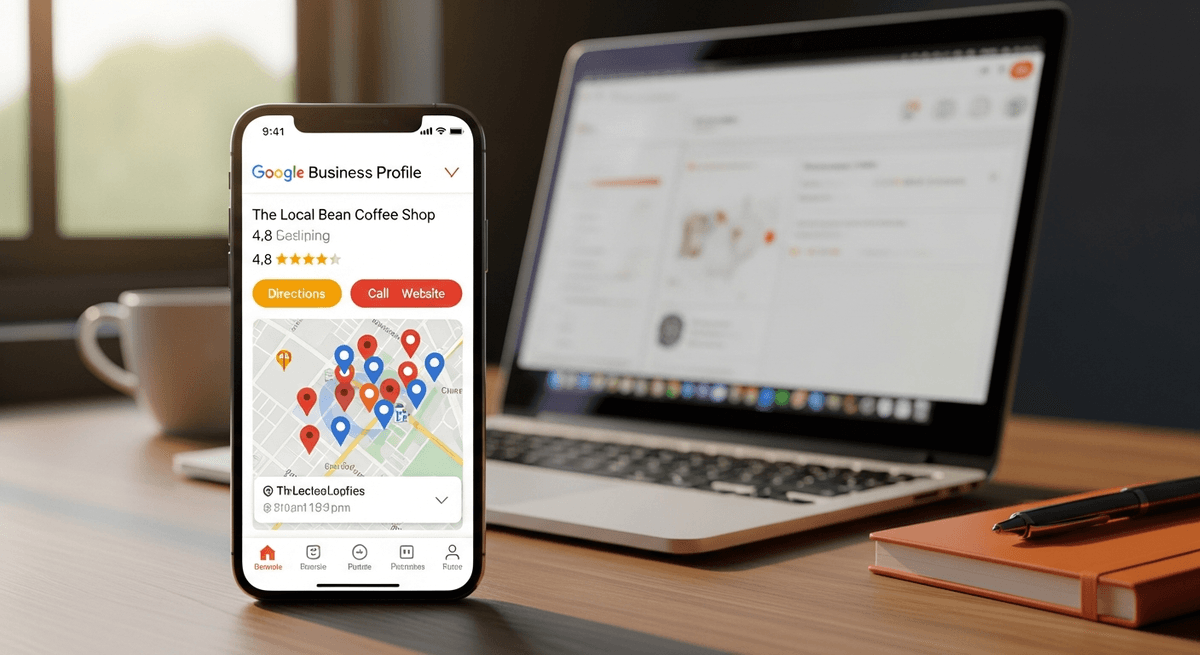
Google Business Profile Posts are short updates you can publish directly to your business listing. They appear at the bottom of your profile in a scrollable carousel when someone searches for your business or finds you in local search results. Think of them as mini social media posts, but they live right where potential customers are already looking for you.
You can include text (up to 1,500 characters), photos or videos, and a call-to-action button that links to your website or a specific landing page. They're free, they're relatively quick to create, and they give you a way to share what's happening with your business right now. Posts work best when they connect back to a well-optimised website, so make sure your site is ready to receive that traffic. If it needs work, our website design services can help you build a site that converts visitors into customers.
Here's the surprising bit. Plenty of local businesses have never published a single post, and many more posted once and stopped. A profile with recent, specific posts stands out next to listings that have been left alone for years.
Why do so many businesses skip this? Usually, it comes down to a few misconceptions. Some think it's too time-consuming. Others assume it won't make a real difference. Many simply don't know the feature exists or don't understand how to use it effectively. But when you're optimizing your Google Business Profile for local visibility, Posts are one of the simplest ways to show customers that you're an active, engaged business.
Do Google Business Profile Posts Affect Rankings? What Google Says
Let's get straight to it. Google has never said that posts affect where you rank, and there's no good public evidence that they do. Google describes local ranking in terms of three things: relevance, distance and prominence. Its help page on posts talks about helping customers decide to visit you. It doesn't mention ranking at all.
The best public test points the same way. Sterling Sky, a local SEO agency, added a post a week to three listings for nine weeks and tracked 441 keywords for each. The result, in their words, was that posts "had no measurable impact on rankings in the local pack." It was a small test on quiet listings, so it doesn't prove posts can never matter. But nobody has published evidence that they do, and the industry's 2026 ranking factors survey added keyword stuffing in posts as a negative factor.
So if someone sells you weekly posts as a way to climb the map pack, be sceptical. That's not what they're for.
What posts are good for
Posts work at a different stage. By the time someone sees your posts, they've already found your profile. The question is whether they call you, visit you or move on to the next listing. That's where posts earn their keep.
Birdeye's 2025 State of Google Business Profile report found that, across all industries, 48% of interactions with business profiles are website visits, 34% are direction requests, and 17% are phone calls. Those are the actions you want, and posts can give people a reason to take them. A well-crafted post about your latest promotion or upcoming event can be the nudge someone needs to click, call, or visit.
Posts also reassure people. A profile with recent updates tells a customer that the business is open, that the information is probably current, and that someone is paying attention. A listing that hasn't changed since 2019 raises the opposite question.
One practical detail. Posts used to disappear after seven days. Now Google archives posts once they're older than six months, unless you set a date range, so a good post keeps working for months. Event and Offer posts still follow the dates you give them.
The Four Types of Google Business Profile Posts (And When to Use Each)
Google gives you four different post types to choose from, and picking the right one makes your content more effective. Here's how to think about each.
What's New Posts
These are your go-to posts for general updates and announcements. Got a new team member? Changed your hours for the holidays? Added a new service? This is where you share it.
What's New posts are the most flexible type. You can talk about anything relevant to your business, from celebrating a milestone to sharing a behind-the-scenes peek at how you work. The key is keeping it genuinely interesting and valuable to the people who might become your customers.
Event Posts
Planning something specific with a date attached? Event posts are perfect for workshops, open houses, sales events, webinars, or any other time-bound activity.
Event posts let you include the date and time right in the post structure, and they automatically stay visible until the day after your event ends. Then they're archived. This keeps your profile tidy without you having to manually remove outdated content.
If you run a retail business with seasonal sales, a restaurant with special tasting menus, or a service business offering workshops, Event posts should be a regular part of your strategy.
Offer Posts
Everyone loves a good deal, and Offer posts are how you promote them through your Google Business Profile. Whether it's a percentage discount, a buy-one-get-one special, or a limited-time promotion, this post type is built for it.
You can include a promo code, link directly to your online store or booking page, and add terms and conditions right in the post. The call-to-action button options (like "View Offer" or "Buy") make it easy for customers to take the next step.
The catch? Make sure you have a real offer worth promoting. Generic "10% off" posts get ignored fast. If you're going to use Offer posts, make them compelling enough that someone actually wants to click through.
Product Posts
Product posts let you spotlight specific items or services you offer. This is particularly useful if you have seasonal products, want to introduce something new, or have a best-seller you want to feature.
For service businesses, think of these as "service spotlights" rather than physical products. A landscaping company might feature their spring clean-up service. A consultant might highlight their most popular package. The principle is the same. Show people what you offer and why they should care.
How to Create Effective Google Business Profile Posts (Best Practices)
Creating posts that actually work isn't complicated, but there are some tricks that make a real difference.

Keep It Visual
Images matter more than you might think. Profiles with photos receive 42% more engagement than those without. That's not a small difference. Your photos don't need to be professionally shot (though that helps), but they do need to be clear, well-lit, and relevant to what you're posting about.
Google recommends images sized at 720 x 540 pixels (a 4:3 aspect ratio), but they'll accept anything as small as 480 x 270 pixels. Stick closer to the recommended size for best results. Keep your main subject centred because Google may crop the edges depending on where the post is displayed.
Avoid using text-heavy graphics or images so busy that people can't tell what they're looking at on a phone screen. Remember, most people will see your posts on mobile devices.
Write for Scannability
People don't read every word on the internet. They skim. That's especially true on mobile devices where attention spans are measured in seconds.
The first 100 characters of your post are critical because that's roughly what shows up before someone has to click to read more. Front-load your most important information. If you're promoting a sale, lead with the discount, not three sentences of background story.
Keep your language conversational and clear. Write like you're talking to a friend, not submitting a press release. Use the full 1,500 character limit if you have something valuable to say, but don't pad your content with filler just to hit a word count.
Use Strong Calls-to-Action
Every post can include a call-to-action button that links to your website or a specific page. The available options include Learn More, Book, Order, Buy, and Sign Up. Pick the one that matches what you want people to do.
The CTA should feel like a natural next step from your post content. If you're posting about a new menu item, "Order" makes sense. If you're sharing a blog article about home maintenance tips, "Learn More" fits better.
Make sure the link goes somewhere relevant and useful. Sending someone to your homepage when you promised details about a specific promotion is a fast way to lose their interest.
Include Local Keywords
Posts are a natural place to mention your location and service area, which helps customers see straight away that you serve them. Keep it natural, though. Repeating keywords to try to rank is now treated as a negative signal by local SEO experts, and it reads badly to customers.
Mention your city, neighbourhood, or region when it makes sense. Talk about local events you're participating in. Reference landmarks or areas you serve. These small touches show customers exactly where your business fits into their area.
This ties directly into your broader local SEO strategy and helps you show up for the searches that matter most to local customers.
Free Offer
Want to know what's hurting your website?
We'll review your site and tell you exactly what to fix, no strings attached.
Get Your Free AuditCommon Google Business Profile Post Mistakes to Avoid
Let's talk about what not to do, because sometimes knowing what to avoid is just as helpful as knowing best practices.
The biggest mistake? Not posting at all. It sounds obvious, but it's the most common problem. Businesses set up their profile, maybe add some photos, and then never post anything. You're leaving value on the table.
Second is inconsistency. Posting twice in one week and then nothing for three months doesn't help. Customers notice when a profile goes quiet. They want to see signs of an active, thriving business.
Poor quality images hurt you more than help. That blurry photo from your phone in 2015? Skip it. The generic stock photo that could be any business anywhere? Also skip it. Show your actual business, your actual products, your actual team.
Generic content is another trap. If your post could be copied and pasted to any business in any city, it's not doing much for you. Make your posts specific to your business and your location. Talk about things that are genuinely happening with you, not vague statements about quality and service that every business claims.
Finally, don't forget to actually check if your posts are driving actions. Are people clicking your links? Calling your number? If you're not seeing any engagement, try different types of content, different images, or different calls-to-action. Posting for the sake of posting doesn't accomplish much if it's not connecting with your audience.
How Often Should You Post to Google Business Profile?
Google doesn't set a number, so treat this as a practical habit rather than a rule. Once a week is a good baseline. It keeps your profile current without becoming a burden.
If you're just starting, once a week is perfect. Get comfortable with the process, figure out what types of posts resonate with your audience, and build it into your routine. You can always increase frequency later.
During busy seasons, promotional periods, or when you have events happening, post more often. There's no penalty for posting daily if you have valuable content to share. Just make sure you're not posting multiple times a day, which can come across as spammy.
The key word here's "consistency." Regular activity over time beats sporadic bursts of posting. Think of it like managing your Google Business Profile actively in general. Small, regular effort compounds into meaningful results.
A simple content calendar helps. Sit down once a month and map out your posts. Mark down any events, promotions, or seasonal offerings you know about. Fill in the gaps with updates, team spotlights, or helpful tips related to your industry. When you have a plan, it's much easier to stay consistent.
Don't overthink it. A simple, genuine post is better than no post. You're not writing a novel or crafting the perfect social media campaign. You're keeping your profile fresh and giving potential customers a reason to pay attention.
What to Realistically Expect from Google Business Profile Posts
So what changes when you start posting regularly? Be realistic about it. Posts won't move your map ranking, but they can change what happens once people find you.
Your profile gives people more reasons to act. An offer, an event or a recent project gives someone a reason to call or click instead of scrolling to the next listing.
You look open and active. Recent posts show you're a real, operating business, which matters most to people comparing two or three options.
You can measure it. Your profile's performance report shows calls, website clicks and direction requests, so you can see whether posting changes anything for your business rather than taking anyone's word for it.
If you want to rank higher on the map, put your effort into the things Google does name: an accurate primary category, a complete profile, a steady stream of genuine reviews, and a website that clearly matches what you do. Posts sit alongside those, helping the people who find you decide to get in touch.
Quick Start: Your First Three Google Business Profile Posts
If you're feeling overwhelmed about where to start, here's a simple plan for your first three posts. Just do these and you'll be ahead of most of your competition.
Post #1: Introduce Your Business Personality
Create a What's New post that gives people a sense of who you're beyond just your services. Maybe it's a quick introduction to your team, why you started the business, or what you love about serving your local community. Keep it genuine and warm. Include a photo of your team or workspace.
Call-to-action: "Learn More" linking to your About page or homepage.
Post #2: Behind-the-Scenes or Team Spotlight
People connect with people, not faceless businesses. Share something that humanises your brand. It could be a team member spotlight, a peek at how you prepare for a busy day, or a quick story about solving a customer problem. Make it specific and real.
Call-to-action: Depends on your content, but "Learn More" works for most cases.
Post #3: Helpful Tip or Customer Success
Position yourself as the helpful expert. Share a quick tip related to your industry that your potential customers would find valuable. Alternatively, highlight a recent customer success (with their permission) that shows the results you deliver. Focus on the value you provide rather than selling.
Call-to-action: "Learn More" if linking to a relevant blog post or resource.
That's it. Three posts. Nothing fancy, nothing complicated. Just start. You can refine your approach as you go, but getting those first few posts published breaks through the initial resistance and gets you in the habit.
Making Google Business Profile Posts Part of Your Marketing Strategy
Posts are useful, but they're just one piece of your local SEO puzzle. They work best when they're part of a complete strategy that includes maintaining accurate business information, encouraging and responding to reviews, uploading quality photos, and ensuring your profile is fully optimised.
Think of your Google Business Profile as your digital storefront. You wouldn't neglect the physical front of your store, right? The same principle applies online. Posts keep your storefront looking active and inviting, but you still need the rest of the fundamentals in place.
One practical tip is to repurpose content across platforms. If you're already creating content for social media (and you should be), adapt those posts for your Google Business Profile. Localise them, adjust the format to fit Google's structure, and publish them. You're not creating content from scratch every time.
That said, don't just copy-paste from social media without thinking. Google Business Profile posts need a local angle and should speak to people who are specifically looking for businesses like yours in your area. Make sure your posts reflect that context.
If you're feeling overwhelmed by everything involved in local SEO, you're not alone. Between managing your profile, encouraging reviews, creating content, optimising your website, and actually running your business, it's a lot to juggle. Many successful business owners recognize when it makes sense to get professional help with their local SEO services so they can focus on what they do best. For businesses that rely on lead generation, pairing strong local SEO with a solid social media marketing strategy can significantly expand your reach beyond just Google searches.
Keep Your Business Visible Where It Matters
Google Business Profile Posts are simple, free and quick to make. They won't move your ranking, but they give the people who find you a reason to choose you, and many of your competitors aren't bothering.

You don't need to be a marketing expert. You don't need professional photography or a content team. You just need to show up regularly, share what's happening with your business, and make it easy for potential customers to take the next step.
Start this week. Create your first post. It doesn't have to be perfect. It just has to be real, helpful, and consistent with who you're as a business. Then do it again next week. And the week after that.
Three months from now, you'll have a profile that looks active and cared for. Check your profile's performance report along the way to see whether calls and clicks change for your business. For most businesses, that's worth 15 minutes a week.
Ready to take your local visibility seriously? Let's talk about how to make your Google Business Profile work harder for you. Book a free introductory call and we'll show you what's possible.
Frequently Asked Questions
Has Google officially said posts affect local rankings?
No. Google describes local ranking in terms of relevance, distance and prominence, and its help pages present posts as a way to inform customers, not as a ranking factor. The best public test, by Sterling Sky, found no measurable change in local pack rankings after nine weeks of weekly posts. Treat posts as a way to win the customers who already see your profile.
How long does it take to see results from posting to Google Business Profile?
Don't expect a ranking change, because there's no good evidence posts cause one. What you can watch is your profile's performance report, which shows calls, website clicks and direction requests. Give it a couple of months of steady weekly posting, then compare. Results vary by business, so judge it on your own numbers.
What should I post about if my business doesn't have regular promotions or events?
Most businesses have more to post about than they realise. Share tips related to your industry. Introduce team members. Highlight a service or product you want more attention on. Post about a community event you're participating in. Share something seasonal or timely. You don't need a sale or special offer to post. Anything that gives potential customers a more complete picture of your business works well.
How long do Google Business Profile posts stay up?
Google archives posts once they're older than six months, unless you set a date range. Event and Offer posts follow the dates you give them. The old rule that posts vanished after seven days no longer applies.
Can keyword-stuffed posts hurt my profile?
They can. The 2026 Whitespark Local Search Ranking Factors survey added keyword stuffing in posts as a new negative factor. Write posts for customers, and mention your area where it fits naturally.
Is posting to Google Business Profile worth it for small businesses?
Especially for small businesses, yes. Large brands have massive advertising budgets and name recognition working in their favour. Small businesses compete on local relevance, personal service, and community presence. Google Business Profile Posts let you show all of that for free. A consistent posting habit costs you maybe 30 minutes per week and positions you ahead of the majority of local competitors who ignore this feature entirely.
If you're not sure whether your Google Business Profile is set up properly, with the right categories, complete details and reviews that hold up next to your competitors, request a free audit. We'll look at your profile, your website, and your local visibility and tell you exactly where the gaps are.