May 26, 2026
Google Ads for Dentists: A Practical Guide to Getting New Patients
TL;DR
Google Ads can be one of the most reliable ways for dental practices to bring in new patients. But only when the campaigns are built the right way from the start.
In This Article
If you run a dental practice, you've probably been pitched Google Ads at some point. Maybe you've tried it and felt like you were burning money. Maybe you've avoided it entirely and stuck with referrals and word of mouth. Either way, there's a good chance you're leaving appointments on the table.
Google Ads for dentists, when set up correctly, can be one of the most reliable and measurable ways to bring in new patients. The key phrase is "set up correctly." The gap between a well-built dental campaign and a poorly built one is enormous, and a lot of the practices that say Google Ads doesn't work for them were running the latter.
This guide covers how to approach it the right way: campaign structure, keywords, landing pages, budgets, and the common mistakes to avoid.
Why Google Ads Works for Dental Practices
Dental care is an intent-driven purchase. When someone searches "dentist near me" or "emergency dental appointment," they're not browsing casually. They need something and they need it soon. That's a fundamentally different kind of visitor than someone who sees a social media ad while scrolling.

Google Search ads put your practice in front of people at the exact moment they're looking for what you offer. That's a significant advantage over most other advertising channels, where you're trying to create demand. Here, the demand already exists. You're just making sure you show up when it does.
Local competition can also play in your favour. In a lot of local markets, only a handful of dental practices are running paid search properly. Some are not advertising at all, others are running campaigns that haven't been touched in years. That can leave room to stand out, though in competitive metros you should expect to be bidding against practices that know what they are doing.
Search vs. Display: Which Campaign Type to Start With
Google offers two main campaign types that dentists typically consider: Search and Display.
Search campaigns show text ads on the Google results page when someone searches a relevant term. This is where new patient acquisition happens. Someone types "teeth whitening dentist [your city]" and your ad appears. They click, land on your page, and book an appointment. This is the campaign type you should start with.
Display campaigns show image ads across websites in Google's network. They work well for remarketing (showing ads to people who've already visited your site) but aren't the right tool for finding new patients who haven't heard of you yet. Display traffic is colder and less intent-driven. Run it once you have Search working, not instead of it.
Performance Max campaigns have become more prominent in Google's ecosystem, but they require significant conversion data to optimize well and offer less transparency and control. For most dental practices just getting started with paid search, a standard Search campaign gives you more visibility into what's working.
Keyword Strategy for Dental Practices
Keywords are the core of any Google Ads strategy for dentists. Get them right and your ads reach people ready to book. Get them wrong and you pay for clicks from people who will never become patients.
Start with high-intent service keywords. These are terms people use when they're actively looking to book. Examples:
- dentist near me
- family dentist [city name]
- teeth cleaning appointment
- emergency dentist [city name]
- dental implants [city name]
- Invisalign provider near me
- teeth whitening dentist
Use phrase match and exact match. Broad match keywords give Google too much control over who sees your ads. You end up paying for searches like "dental school near me" or "how to pull a tooth at home," neither of which becomes a patient at your practice. Phrase match and exact match keep your spend focused.
Build a strong negative keyword list. Negative keywords tell Google what searches shouldn't trigger your ads. Common dental negatives include: free, cheap, DIY, dental school, jobs, career, salary, how to. Adding these from the start prevents wasted spend on irrelevant traffic.
Separate campaigns by service where it makes sense. If you offer general dentistry, cosmetic dentistry, and orthodontics, consider separate campaigns or ad groups for each. This lets you write more specific ad copy and send traffic to more relevant landing pages, which improves your Quality Score and typically lowers your cost per click.
Landing Pages for Dental Google Ads
This is where most dental practices lose the campaigns they've already paid to run. Sending Google Ads traffic to your homepage is one of the most common and costly mistakes in dental advertising.
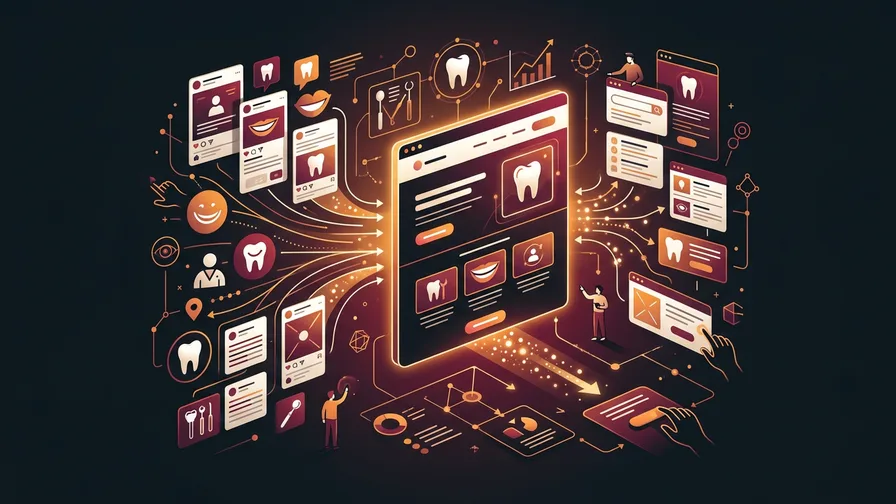
Your homepage serves many audiences at once: existing patients, people researching your practice, staff looking for HR information, and vendors. None of that context helps convert a first-time visitor who clicked an ad for dental implants. They need a page built specifically for that moment.
A good dental landing page does a few things:
- Matches the ad. If the ad says "Invisalign Consultations Available," the page should be about Invisalign consultations, not your full list of services.
- Answers the main objections fast. Cost concerns, insurance questions, new patient anxiety. Address these directly, not with generic copy about "exceptional care."
- Makes booking easy. A phone number in the header, a simple form, and ideally an online booking option. The fewer steps between clicking and confirming an appointment, the better.
- Builds trust quickly. Real patient reviews, a photo of the team or office, any relevant credentials or associations. Trust signals matter when someone is choosing a healthcare provider.
If you need help building landing pages that convert, our landing page design service is built around exactly this, pages designed to turn ad clicks into booked appointments.
Budget Recommendations for Dental Practices
There's no universal right answer on budget, but there are useful benchmarks.
Costs vary a lot by market and by service. WordStream's 2026 Google Ads benchmarks put the average cost per click for dentists at $8.00 USD across US search campaigns, with routine general dentistry terms usually cheaper than competitive cosmetic terms like dental implants or Invisalign. Canadian costs follow similar patterns but differ by market, so treat any published benchmark as a starting estimate and watch your own account data. That cost per click, combined with your landing page conversion rate, determines your cost per lead.
Free Consultation
Ready to get more from your marketing?
Book a free call and we'll look at what's working, what's not, and where to focus next.
Book a Free CallA reasonable starting budget for a dental practice testing Google Ads in a mid-sized market is $1,500 to $3,000 per month. This gives you enough data within 60 to 90 days to know what's working and what needs adjustment. Starting too low often means you don't get enough volume to draw meaningful conclusions.
In larger, more competitive markets (major metro areas), budgets of $3,000 to $6,000 per month are more realistic if you want meaningful results. Cost per click is higher, and you need more volume to drive consistent new patient flow.
The right question isn't "how much do I want to spend?" It's "what is a new patient worth to me, and what's an acceptable cost to acquire one?" If a new patient is worth $2,000 in lifetime value and you can bring them in for $150 in ad spend, that math works well. Set your budget around that logic, not an arbitrary number.
Tracking Conversions: Calls and Bookings
Running Google Ads without proper conversion tracking is like driving with your eyes closed. You're spending money and have no idea what's working.
For dental practices, the two most important conversions to track are:
Phone calls. A large share of new dental patients still call to book. Google Ads has a built-in call conversion feature that lets you track calls that come directly from your ads. Set a minimum call duration (90 seconds is a reasonable threshold for a real inquiry) and track those as conversions. This tells you which keywords and ads are actually generating calls.
Form submissions. If your landing page has a contact or booking form, every submission should fire a conversion event in Google Ads. This ties the submission directly back to the keyword, ad, and campaign that drove it.
With proper conversion data in place, Google's smart bidding algorithms can optimize toward the actions that matter (calls and form fills) rather than just clicks. Without that data, you're manually guessing and Google has nothing real to optimize against.
Our Google Ads management service includes full conversion tracking setup as part of onboarding, so nothing is left untracked from day one.
Common Mistakes Dental Practices Make with Google Ads
Understanding what goes wrong is as useful as knowing what to do right. These are the mistakes that show up most often in dental ad accounts:

Sending traffic to the homepage. Covered above, but worth repeating. Every service campaign should have a dedicated landing page.
Using broad match keywords exclusively. Google will match your ads to searches you'd never approve if you saw them. Broad match has its place in mature accounts with strong negative keyword lists, but it's not where to start.
Ignoring the search terms report. This report shows the actual searches that triggered your ads. Checking it weekly is essential, especially in the first few months, to find new negative keywords and identify search terms worth adding as exact match targets.
No call tracking. If most new patients call to book and you're not tracking those calls back to your campaigns, you can't see what's working. Many practices assume their ads aren't performing when the issue is they just can't see the results.
Running the same ad to all locations. If you serve multiple neighbourhoods or postal codes, ad copy that speaks to a specific area often outperforms generic copy. "Dentist in [Neighbourhood Name]" is more relevant to a local searcher than "Dentist Near You."
Setting it and forgetting it. Google Ads requires ongoing management. Bids shift, competitors enter and exit, Quality Scores change. An account that's not reviewed regularly drifts toward inefficiency. Monthly at minimum, weekly is better.
Frequently Asked Questions
How long does it take for Google Ads to bring in new dental patients?
Many practices see their first leads within the first few weeks of launching, though that depends on budget, competition, and how well the landing pages convert. However, expect the first 60 to 90 days to be a learning period. During that time, you're gathering conversion data, refining keyword lists, and optimizing bids. Results typically improve meaningfully after that initial window. Be cautious of anyone who promises a fully optimized account from day one.
What's the difference between Google Ads and Google My Business for dentists?
Google My Business (now called Google Business Profile) controls your practice's appearance in local map results and Google Search's local pack. It's free and essential for any dental practice. Google Ads are paid search ads that appear above the organic results. Both matter, and they work well together. Your Business Profile drives organic local traffic; Google Ads gives you additional visibility and lets you target specific services you want to grow.
Should I run Google Ads if I already have a strong referral base?
Referrals are valuable but unpredictable. They also tend to plateau as practice capacity grows. Google Ads creates a more consistent and scalable new patient channel that doesn't depend on existing patients having conversations at the right time. Most practices with strong referral bases find that adding a well-run paid search campaign fills schedule gaps and supports growth without cannibalizing what's already working.
Can I manage Google Ads myself, or should I hire someone?
You can manage it yourself, and some practice owners do. The tools are accessible and Google provides learning resources. The tradeoff is time. Building effective campaigns, monitoring performance, interpreting the data, and making ongoing adjustments takes real hours each week. Most practice owners find that time is better spent on patient care and practice management. Working with someone experienced in Google Ads management typically results in better performance and a lower cost per new patient than a self-managed account built without prior experience.
If you're ready to build a Google Ads campaign for your dental practice, or want an honest assessment of what's working and what isn't in an existing account, book an introductory call. We'll look at your market, your current situation, and tell you exactly what we'd recommend. Google Ads is one part of our dental marketing services, alongside SEO and the website.