October 7, 2025
When Should You Redesign Your Business Website? 7 Clear Signs It’s Time

TL;DR
Your website might be costing you business right now. Not in some vague, hard-to-measure way, but in actual lost leads, bounced visitors, and prospects who take one look at your site and decide to ...
In This Article
Your website might be costing you business right now. Not in some vague, hard-to-measure way, but in actual lost leads, bounced visitors, and prospects who take one look at your site and decide to call your competitor instead.
The tricky part? Knowing when to actually pull the trigger on a redesign. Website redesigns aren’t cheap, and nobody wants to spend thousands of dollars fixing something that isn’t actually broken. I’ve talked to plenty of business owners who are paralysed by this decision, unsure whether their site needs a complete overhaul or just some strategic updates.
So let’s cut through the noise. I’m going to walk you through the seven clearest signs that it’s genuinely time to redesign your website, plus the situations where you should absolutely save your money and skip the redesign altogether. Fair?
TL;DR
• Your website isn’t just old, it’s actively losing you business through poor mobile experience, slow speeds, or broken functionality
• Mobile users are bouncing because your site doesn’t work properly on phones (and that’s more than half your visitors)
• You’re embarrassed to send prospects to your website because it looks outdated or unprofessional
• Your competitors’ sites make yours look amateur, affecting how potential customers perceive your business
• Simple updates won’t fix fundamental structure, speed, or security issues built into your site’s foundation
• Not every old website needs a full redesign (sometimes you just need better content or basic optimisation)
• The decision should be based on business impact and functionality, not arbitrary timelines or personal colour preferences
In This Article
- Why Website Age Alone Doesn’t Matter
- Sign #1: Your Mobile Experience Is Broken
- Sign #2: Your Site Speed Is Driving People Away
- Sign #3: You’re Embarrassed to Share Your URL
- Sign #4: Your Site Doesn’t Reflect Your Current Business
- Sign #5: Security Warnings Are Scaring Visitors
- Sign #6: You Can’t Update Content Without Calling Someone
- Sign #7: Your Conversion Rate Keeps Dropping
- When You DON’T Need a Redesign
- What to Do Next: Your Decision Framework
- Frequently Asked Questions
Why Website Age Alone Doesn’t Matter (But These Things Do)
Let’s start by addressing a myth that costs business owners unnecessary money every year: the idea that websites need redesigns every two or three years like clockwork.
That’s not really true. I’ve seen five-year-old websites that convert beautifully and bring in consistent leads. I’ve also seen brand new websites that look gorgeous but don’t generate a single inquiry because nobody thought about the actual user experience.
How often should you redesign your website? When there’s a legitimate business reason to do it. When it’s actively hurting your ability to attract customers, close sales, or operate efficiently. Not because some arbitrary timeline says you should, and definitely not because your neighbour just got a new site and you feel left behind.
What actually matters is whether your website still does its job. Can people find what they need quickly? Does it work properly on phones? Does it load fast enough that visitors don’t bail before they see your content? Does it reflect what your business actually does today?
Those are the questions that determine whether it’s time for a redesign. Your website’s age is just a number. Its functionality and effectiveness are what count.
Sign #1: Your Mobile Experience Is Broken (And You’re Losing Half Your Visitors)
Pull out your phone right now. Actually do this. Go to your website and try to use it the way a potential customer would. Can you read the text without squinting? Do the buttons actually work when you tap them? Does the menu make sense? Can you fill out your contact form without wanting to throw your phone across the room?
If you’re cringing while doing this exercise, that’s your first clear sign.
More than 60% of web traffic now comes from mobile devices. That means if your site doesn’t work properly on phones, you’re losing more than half your potential visitors before they even see what you offer. They’re not going to persevere through a frustrating mobile experience. They’ll just hit the back button and find a competitor whose site actually works.
The really frustrating part is that “mobile-friendly” isn’t good enough anymore. Plenty of older websites are technically responsive, meaning they don’t completely break on phones. But there’s a massive difference between a site that technically functions on mobile and one that’s genuinely optimised for mobile users.
Text that’s readable but requires zooming. Forms that work but are annoying to fill out. Menus that technically open but require precision tapping. These might pass a mobile-friendly test, but they’re still driving potential customers away.
If your mobile experience is broken or just mediocre, and you can’t fix it with your current website structure, that’s a legitimate reason to redesign. Google uses mobile-first indexing now, meaning they judge your entire site based on the mobile version. A poor mobile experience doesn’t just frustrate users, it actively hurts your search rankings too.
Want to dig deeper into mobile optimisation? Check out our guide on boosting local rankings with mobile optimisation for more specific tactics.
Sign #2: Your Site Speed Is Driving People Away (Literally)
For every second your page takes to load, your bounce rate increases. People have zero patience for slow websites anymore, and honestly, can you blame them?
Think about your own behaviour online. If a site takes more than three or four seconds to load, you’re probably hitting the back button and trying the next result. Your potential customers are doing exactly the same thing when they land on your slow website.
The thing is, sometimes speed problems are fixable without a redesign. You can optimise images, clean up plugins, switch to better hosting, and enable caching. These are legitimate fixes that can dramatically improve load times without rebuilding your entire site.
But sometimes your speed problems are baked into your website’s fundamental architecture. Old platforms, bloated code bases, too many years of accumulated plugins and patches. When your site is built on a foundation that’s inherently slow, no amount of optimisation will get you where you need to be.
How do you tell the difference? Run your site through Google PageSpeed Insights or GTmetrix. These free tools will show you what’s actually slowing things down. If the problems are mainly about image sizes, caching, or hosting, those are fixable. If the problems are about render-blocking resources, poor code structure, or fundamental platform limitations, you’re looking at a redesign situation.
For practical speed improvement tactics, our article on increasing your website page speed covers the fixable issues in detail. Try those first before committing to a full redesign.
Sign #3: You’re Embarrassed to Share Your URL
Are you proud to send people to your website, or do you cringe a little every time you have to share your URL?
I’ve had this conversation with business owners more times than I can count. They’ll say something like, “Yeah, I know my website isn’t great, but…” and then they’ll immediately start making excuses about budget, timing, or other priorities. The discomfort is obvious.
Your website is often the first impression potential customers get of your business. If you’re embarrassed by it, what does that tell them about your professionalism, your attention to detail, or your commitment to quality?
Sometimes the embarrassment comes from obviously outdated design trends. Websites that still have that early 2010s look. Aggressive colour schemes that seemed edgy at the time but now just look dated. Flash animations (if they even still work). Stock photos that everyone has seen a thousand times.
Sometimes it’s broken elements that you’ve just learned to live with. That image that never loads properly. The form that sometimes works and sometimes doesn’t. The weird spacing on certain pages that nobody can figure out how to fix.
Trust your instincts here. If your gut reaction when someone asks for your website is something other than pride or confidence, that’s telling you something important.
Sign #4: Your Site Doesn’t Reflect Your Current Business
Businesses evolve. You probably don’t offer exactly the same services you did when you first built your website. Maybe you’ve niched down, or expanded into new areas, or completely pivoted your positioning.
But your website? That’s still talking about stuff you did three years ago.
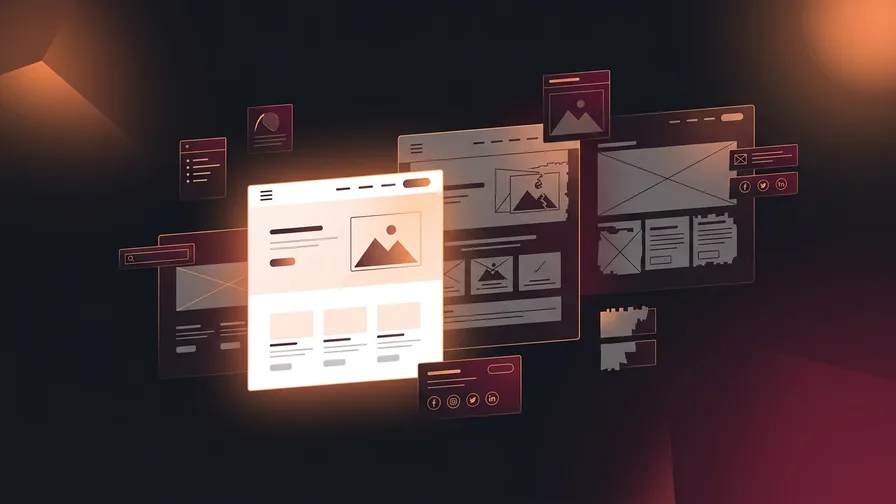
This is the “Frankenstein website” problem. You’ve made updates here and there, added new pages, tried to patch over the old content. But the result is a site that feels disjointed and confusing because it was never designed with your current business model in mind.
I see this constantly with growing businesses. You started as a generalist, but now you specialise in specific industries or services. Your expertise has deepened, your prices have increased, your ideal client has completely changed. But your website still presents you as the business you used to be.
Or maybe you’ve gone the opposite direction. You’ve expanded your services, but your site only highlights the original thing you did. Potential clients have no idea about half of what you offer because it was awkwardly tacked onto a site that wasn’t designed to showcase it.
When your website fundamentally misrepresents what your business does today, that’s not something you can fix with content updates. You need a structure that actually supports your current reality.
Sign #5: Security Warnings Are Scaring Visitors
If your website shows a “Not Secure” warning in browsers, we need to talk about how serious this problem actually is.
The immediate damage is significant. Potential customers see that warning and immediately question whether they should trust you with their information. Would you enter your email address or phone number on a site that your browser is actively warning you about? Probably not.
The most common cause is not having an SSL certificate, which encrypts data between your visitors’ browsers and your server. This used to be optional, but it’s been essential for years now. If you don’t have one, browsers flag your site as “Not Secure” right in the address bar.
But security problems go deeper than SSL certificates. If your website is built on an old version of WordPress, outdated plugins, or a platform that’s no longer supported, you’re sitting on security vulnerabilities that hackers actively exploit. I’m not trying to scare you. This is just reality.
Free Offer
Want to know what's actually hurting your website?
We'll review your site and tell you exactly what to fix, no strings attached.
Get Your Free AuditSometimes you can update your way out of these problems. Update WordPress, update plugins, add an SSL certificate, and you’re good. But sometimes, especially with really old sites, updates break everything. The site was built so long ago that updating core components means nothing works anymore.
That’s when security issues become a redesign trigger. When your options are “stay vulnerable” or “rebuild on modern, secure infrastructure,” the choice becomes pretty clear.
Sign #6: You Can’t Update Content Without Calling Someone
How much does it cost you every time you need to change something on your website? Not just in actual dollars paid to your developer, but in time, frustration, and missed opportunities while you wait for updates?
Modern websites should put you in control of your own content. Want to add a new blog post? You should be able to do that yourself. Need to update your services or pricing? That shouldn’t require a developer. Want to change a photo or fix a typo? These should take minutes, not days and developer fees.
If you’re stuck in a situation where every tiny change requires calling someone, waiting for them to have availability, then paying them to make a five-minute update, something is fundamentally wrong with your website setup.
One important note though. If you’ve invested heavily in SEO or have ongoing SEO work happening, check with your provider before making significant content changes yourself. I’ve seen well-intentioned updates accidentally shift rankings in a negative way because things like URL structures, heading hierarchies, or keyword placement got changed without realising the SEO implications. Being able to update your site is important, but if SEO is a priority for your business, make sure you understand what’s safe to change and what needs professional oversight.
This usually happens with websites built on outdated platforms, custom-coded sites with no content management system, or sites where the original developer made everything so complicated that nobody else can figure out how to work with it.
The ongoing cost of this dependency adds up fast. But beyond the money, think about the opportunity cost. How many times have you wanted to update something timely but couldn’t get it done quickly enough? How many improvements have you just not bothered with because the hassle isn’t worth it?
A website you can’t control yourself isn’t really your website. It’s a liability.
Sign #7: Your Conversion Rate Keeps Dropping (And You’ve Tried Everything Else)
You’re getting traffic. Your SEO is working, or your ads are running, or you’re getting referrals. People are actually landing on your website. But then… nothing. They look around briefly and leave without contacting you.
This is the most frustrating situation because you’re doing the hard work of getting people to your site, but the site itself is failing to convert them into leads.
Sometimes conversion problems are about messaging or positioning, and those you can fix with better content. Sometimes they’re about specific elements like unclear calls-to-action or broken forms, and those you can update without a redesign.
But sometimes the problem is deeper. The user experience is confusing. The navigation doesn’t make logical sense. The path from landing page to contact form requires too many clicks or isn’t obvious. The overall design looks untrustworthy or makes people question your credibility.
When your analytics clearly show that people are bouncing quickly, not engaging with your content, and definitely not converting, and you’ve already tried improving the fixable elements, that’s when you need to consider that your website’s fundamental structure and design are the problem.
For more specific tactics on improving conversion rates, check out our conversion rate optimisation tips. Try those strategies first. But if you’ve implemented solid CRO tactics and you’re still seeing poor results, the issue might be that your website’s foundation is working against you.
When You DON’T Need a Redesign (Save Your Money)
Here’s where I’m going to potentially talk myself out of business, but this is important: not every problem requires a complete redesign. Sometimes you’re better off saving that money and putting it toward something else.
Let me be really clear about when you should skip the redesign:
Your site just needs better content. If your website structure is fine, it loads quickly, works on mobile, and looks professional, but the words on it are boring or unhelpful, you don’t need a redesign. You need better copywriting. Hire a good writer instead of a designer.
You haven’t tried basic optimisation yet. Before spending thousands on a redesign, have you actually tried the simple stuff? Speed optimisation, better calls-to-action, improved forms, updated images? Many problems are fixable without starting from scratch. Try the cheap fixes first.
You’re redesigning to avoid marketing work. A new website won’t magically bring you leads if nobody knows it exists. If your real problem is that you’re not visible online, not doing SEO, not running ads, not networking, then a redesign is just procrastination dressed up as productivity. Fix your marketing strategy first.
You just don’t like the colour scheme. Personal design preferences aren’t usually business justifications. If your website works well and brings in business, changing colours just because you’re tired of them might not be the best use of your budget. Save it for something that actually impacts your bottom line.
Your site is only a year or two old and working fine. Unless something dramatic changed with your business or technology made your site genuinely obsolete, you probably don’t need to redesign yet. This is one of those “if it ain’t broke, don’t fix it” situations.
You need to ask yourself what business problem you’re actually trying to solve. If a redesign is the real solution to a real problem, do it. If you’re just feeling like you “should” do something about your website, save your money.
What to Do Next: Your Website Decision Framework
Okay, so you’ve read through all seven signs and you’re still not entirely sure whether you need a redesign or not. That’s fair. Let’s walk through a practical process for making this decision.
Step 1: Run the technical tests. Spend an hour doing the actual diagnostics. Check your site on your phone. Run it through Google PageSpeed Insights. Look at your Google Analytics bounce rates and conversion rates. Test your forms. Get concrete data instead of vague feelings.
Step 2: Ask people who aren’t you. Your opinion of your website is biased in both directions. You either love it because you built it, or you hate it because you stare at it constantly. Ask a few customers, colleagues, or friends to honestly evaluate it. Their outside perspective matters.
Step 3: Calculate what your current site might be costing you. If you’re getting decent traffic but terrible conversion rates, do the maths. How many more leads per month would you get if your conversion rate improved even modestly? What’s that worth to your business? Sometimes the cost of not redesigning is higher than the cost of doing it.
Step 4: Be honest about timing and budget. Redesigns take time and money. Can you actually commit to this project right now, or are you just feeling guilty about your website? There’s no shame in deciding this isn’t the right time. Just be intentional about it.
The questions to ask before committing:
- What specific business problems will this solve?
- Have we tried cheaper solutions first?
- Do we have realistic budget and timeline expectations?
- Are we prepared to do this properly, or would we be cutting corners that’ll leave us in the same position in a year?
Regarding website redesign cost in Canada, expect to invest anywhere from a few thousand to tens of thousands, depending on complexity and who you work with. I know that’s a huge range, but it’s honest. The cheapest options often cost more long-term when you factor in fixes, updates, and eventual do-overs.
Frequently Asked Questions
How often should small businesses redesign their websites?
There’s no magic number, despite what you might read elsewhere. Some businesses go five or six years with the same site if it’s working well. Others need updates every couple of years because their industry or business model changes rapidly.
Focus on function, not timelines. Redesign when your website stops serving your business effectively, not because some arbitrary deadline says you should. The typical range tends to be three to five years, but that’s descriptive, not prescriptive.
How much does a website redesign cost in Canada?
It varies wildly based on complexity, features, who you hire, and what you actually need. A simple website redesign might cost a few thousand dollars. A complex e-commerce site with custom functionality could be $20,000 or more.
The bigger question is what it’ll cost you to not redesign if your current site is actively losing you business. Sometimes the ROI calculation makes the investment obvious. Sometimes it tells you to wait.
Be wary of extremely cheap options. I’ve seen too many businesses pay $500 for a “professional website” only to spend thousands more fixing it later. Good work costs money, but it also lasts and performs.
Can I just update my existing website instead of redesigning?
Sometimes absolutely yes. If your site’s foundation is solid and your problems are superficial, updates and optimisations are way more cost-effective than starting over.
But sometimes no. If your problems stem from fundamental architecture issues, outdated platforms, or structures that can’t support what you need to do, updates are just throwing good money after bad. That’s when rebuilding makes more sense.
The honest way to figure this out? Have someone who actually knows what they’re doing look at your specific situation and give you real advice. Not someone who only does redesigns and will recommend one regardless. Someone who’ll tell you the truth about what you actually need.
Make Your Redesign Decision With Confidence
If you’re seeing multiple signs from this article, it’s probably time to seriously consider a redesign. Check out our website design services to see what a proper rebuild looks like. But that doesn’t mean you have to rush into anything or settle for a solution that doesn’t actually fix your problems.
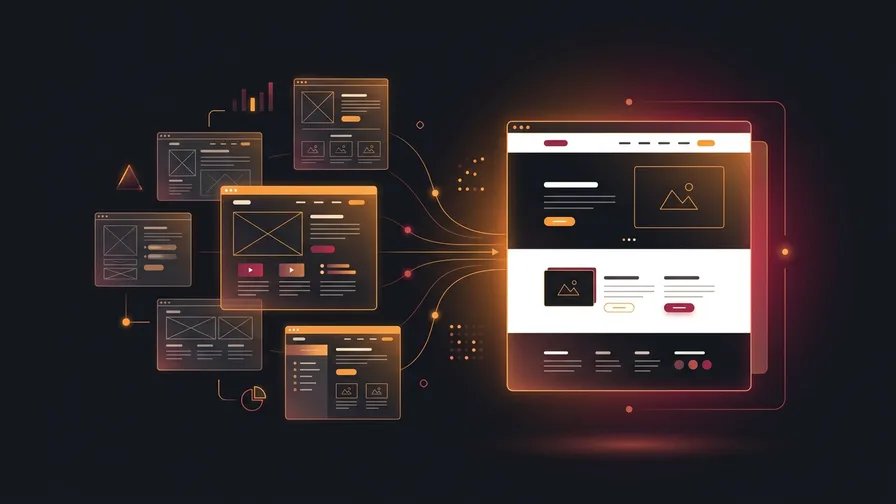
The best redesigns happen when there’s a clear business reason driving the decision. A site that works on mobile, loads quickly, reflects your current business, and actually converts visitors into leads. That’s what you’re aiming for.
The key is making sure you’re investing in the right solution at the right time. Whether that’s a complete redesign, strategic updates, or just better content depends entirely on your specific situation.
Not sure which path makes sense for your business? Start with a free website audit to get an objective picture of where your site stands, or book a free consultation with CSP Marketing Solutions and we’ll give you an honest assessment of what you actually need, not just what we want to sell you. No pressure, just practical advice on what’ll help your business grow.