August 5, 2025
Schema Markup for Local Businesses: The Complete Implementation Guide for Ontario Businesses
TL;DR
Schema markup tells search engines exactly what your business is, what you sell, and where you’re located. Here’s how to implement it correctly and why Ontario businesses that skip it are leaving local search rankings on the table.
In This Article
What You’ll Learn in This Guide
This comprehensive guide will teach you exactly how to implement schema markup to boost your local search visibility by up to 30%. More importantly, you’ll understand the principles behind effective implementation and avoid the common mistakes that prevent most business owners from seeing results.

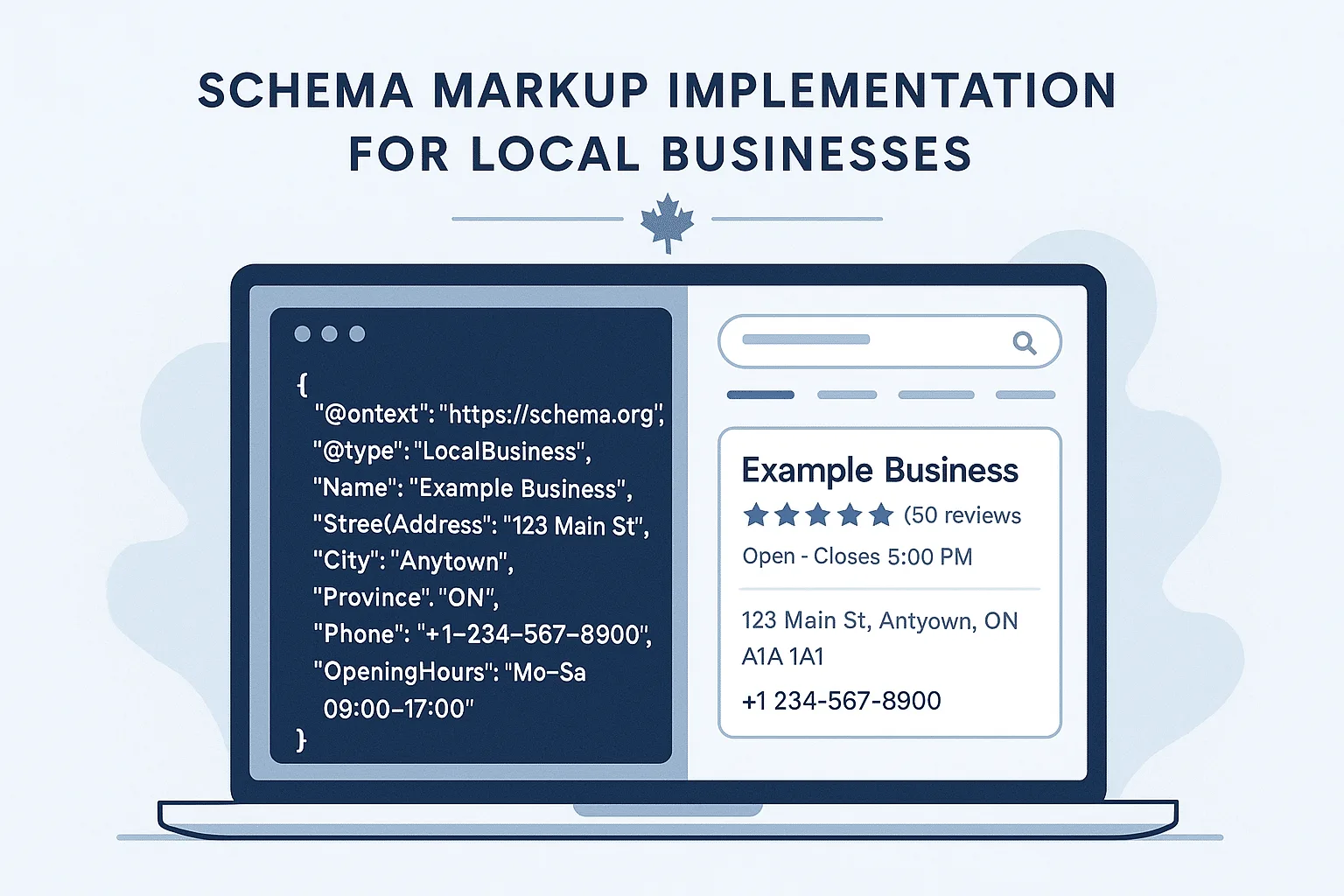
Schema markup is structured data code that helps search engines understand your business information more clearly. When implemented correctly, it creates enhanced search results with star ratings, business hours, and contact information that significantly improve click-through rates.
Why Schema Markup is Essential for Ontario Business Owners
The local search landscape in Ontario presents unique challenges. Many well-established businesses struggle to stand out in search results despite having professional websites, active social media presence, and positive customer reviews. They# Schema Markup for Local Businesses: The Complete Implementation Guide for Ontario Businesses
What You’ll Learn in This Guide
This comprehensive guide will teach you exactly how to implement schema markup to boost your local search visibility by up to 30%. More importantly, you’ll understand the principles behind effective implementation and avoid the common mistakes that prevent most business owners from seeing results.
Schema markup is structured data code that helps search engines understand your business information more clearly. When implemented correctly, it creates enhanced search results with star ratings, business hours, and contact information that significantly improve click-through rates.
Why Schema Markup is Essential for Ontario Business Owners
The local search landscape in Ontario presents unique challenges. Many well-established businesses struggle to stand out in search results despite having professional websites, active social media presence, and positive customer reviews. They often find themselves overshadowed by competitors from Toronto or other major cities.
However, businesses that implement proper schema markup gain a significant competitive advantage in search result presentation. Their listings become more informative and visually appealing, often featuring enhanced elements like star ratings, business hours, and contact information that make them stand out from standard text-only results.
In Ontario’s competitive market, where businesses compete not only locally but against Toronto and Ottawa companies for regional searches, schema markup often determines which listings users choose to click. Research consistently shows that businesses using proper schema markup achieve 25-40% higher click-through rates compared to those without it.
This guide will walk you through everything you need to know about implementing schema markup effectively for your Ontario business.
Understanding Schema Markup for Business Owners
Definition: Schema markup is structured data that you add to your website’s HTML to help search engines understand your content more effectively. Think of it as providing search engines with a clear, standardized format for interpreting your business information.
How Schema Markup Benefits Local Businesses:
Enhanced Search Appearance: Rich snippets display ratings, hours, contact information, and other relevant details directly in search results, making your listing more attractive and informative than standard text-only results.
Improved Local Search Visibility: Clear, structured business information helps search engines match your business to relevant local queries more accurately and confidently.
Higher Click-Through Rates: Enhanced search results with additional information lead to 25-40% higher click-through rates compared to standard listings, as users can quickly identify relevant businesses.
Voice Search Optimization: Schema markup helps voice assistants like Siri, Alexa, and Google Assistant provide accurate information about your business when users ask questions such as “What time does [business] close?”
Stronger Local SEO Foundation: Structured data reinforces key business signals that search engines use to determine local search rankings and relevance. If you're also looking to strengthen your overall organic presence, our SEO services cover the full picture beyond schema alone.
Essential Schema Types for Local Businesses
Understanding which schema types matter most can help you prioritize implementation and achieve results more efficiently. For local businesses, three schema types provide the greatest impact.
1. LocalBusiness Schema (Highest Priority)
Purpose: LocalBusiness schema serves as your digital business card for search engines. It provides essential information that helps search engines understand that your website represents an actual business location rather than just informational content.
This foundational schema type is critical for any business with a physical location. Without it, search engines must interpret your business information from context clues, which is less reliable and effective.
Required Information for LocalBusiness Schema:
- Business name (must match your Google My Business listing exactly)
- Complete address (street, city, province, postal code)
- Phone number (use consistent formatting across all platforms)
- Website URL
- Business hours (specify each day individually)
- Geographic coordinates (latitude/longitude – optional but recommended)
- Business category or type
Implementation Example:
json
{
  "@context": "https://schema.org",
  "@type": "LocalBusiness",
  "name": "Ontario Auto Repair",
  "address": {
    "@type": "PostalAddress",
    "streetAddress": "245 Main Street",
    "addressLocality": "Kitchener",
    "addressRegion": "ON",
    "postalCode": "N2H 1B2",
    "addressCountry": "CA"
  },
  "telephone": "+1-519-555-0123",
  "url": "https://ontarioautorepair.com",
  "openingHours": [
    "Mo-Fr 08:00-17:00",
    "Sa 09:00-15:00"
  ],
  "geo": {
    "@type": "GeoCoordinates",
    "latitude": "43.4516",
    "longitude": "-80.4925"
  }
}
2. Organization Schema (Company Identity)
Organization schema provides comprehensive information about your company beyond basic location details. This schema type helps establish your business’s broader digital identity and authority.
Key elements to include:
- Company logo (improves brand recognition in search results)
- Social media profiles (demonstrates active online presence)
- Founding date (establishes credibility and longevity)
- Areas served (helps with geographic targeting)
Organization schema particularly benefits businesses seeking visibility for broader, regional searches rather than just location-specific queries. When someone searches for “marketing agency Ontario” instead of “marketing agency near me,” this schema type helps your business appear in relevant results.
Implementation Example:
json
{
  "@context": "https://schema.org",
  "@type": "Organization",
  "name": "Ontario Regional Marketing Agency",
  "url": "https://ontariomarketingagency.com",
  "logo": "https://ontariomarketingagency.com/logo.png",
  "sameAs": [
    "https://www.facebook.com/ontariomarketingagency",
    "https://www.linkedin.com/company/ontario-marketing-agency",
    "https://twitter.com/ontmarketing"
  ],
  "foundingDate": "2018",
  "areaServed": [
    "Kitchener, Ontario",
    "Waterloo, Ontario",
    "Guelph, Ontario",
    "London, Ontario"
  ]
}
3. Review and Rating Schema (Trust Building)
Review schema enables search engines to display star ratings and customer review information directly in search results. This schema type significantly impacts user trust and click-through rates.
Important considerations: Google maintains strict guidelines for review schema implementation. Reviews must be genuine, and the markup must accurately represent your overall rating. Artificially inflating ratings or cherry-picking only positive reviews violates Google’s guidelines and can result in penalties.
Research consistently shows that businesses with visible star ratings in search results experience substantially higher click-through rates compared to listings without ratings. Users place considerable trust in peer reviews and ratings when making local business decisions.
Implementation Example:
json
{
  "@context": "https://schema.org",
  "@type": "LocalBusiness",
  "name": "Ontario Digital Marketing Solutions",
  "aggregateRating": {
    "@type": "AggregateRating",
    "ratingValue": "5.0",
    "reviewCount": "48"
  },
  "review": [
    {
      "@type": "Review",
      "reviewRating": {
        "@type": "Rating",
        "ratingValue": "5"
      },
      "author": {
        "@type": "Person",
        "name": "Sarah M."
      },
      "reviewBody": "Outstanding service for our Waterloo-based startup. Helped us compete with Toronto agencies."
    }
  ]
}
Different Businesses Need Different Approaches (Here’s What Works)
Look, I could give you generic advice that sort of works for everyone, or I can tell you what actually works for specific types of businesses. I’m going with option two.
Restaurant Schema (Beyond Basic Business Info)
If you run a restaurant, you’re missing out if you’re not including menu information, cuisine type, and pricing in your schema. I’ve seen restaurants increase their visibility for searches like “affordable Italian food” just by properly marking up their price range and cuisine type.
The stuff that actually matters for restaurants:
- Type of cuisine (be specific – “Italian” works better than “restaurant”)
- Price range (use the $ to $$ system people recognize)
- Whether you take reservations (huge for higher-end places)
- Link to your menu (Google loves this)
When someone searches “Italian restaurant that takes reservations,” proper schema markup can be the difference between showing up or being invisible.
json
{
  "@context": "https://schema.org",
  "@type": "Restaurant",
  "name": "Bella Vista Italian Bistro",
  "address": {
    "@type": "PostalAddress",
    "streetAddress": "150 Main Street",
    "addressLocality": "Cambridge",
    "addressRegion": "ON",
    "postalCode": "N1R 1W2",
    "addressCountry": "CA"
  },
  "servesCuisine": "Italian",
  "priceRange": "$",
  "acceptsReservations": true,
  "menu": "https://bellavistacambridge.com/menu",
  "hasMenu": {
    "@type": "Menu",
    "name": "Dinner Menu"
  }
}
Medical Practice Schema (Essential for Ontario Healthcare Providers)
Healthcare in Ontario requires establishing trust before patients even visit your website. Medical practice schema allows you to specify exactly what services you offer, which proves invaluable for people searching for specific treatments in Ontario.
Critical elements for Ontario medical practices:
- Specific medical specialty (don’t just say “doctor” – specify “family medicine” or “orthodontist”)
- Services you offer (people search for specific procedures, not just “dental services”)
- Areas served (Kitchener, Waterloo, Guelph, London, etc.)
Properly implemented medical schema helps search engines understand exactly what services you provide and where you serve patients.
json
{
  "@context": "https://schema.org",
  "@type": "MedicalOrganization",
  "name": "Ontario Family Dental",
  "address": {
    "@type": "PostalAddress",
    "streetAddress": "85 King Street North",
    "addressLocality": "Waterloo",
    "addressRegion": "ON",
    "postalCode": "N2J 2Y7",
    "addressCountry": "CA"
  },
  "medicalSpecialty": "Dentistry",
  "areaServed": [
    "Waterloo, Ontario",
    "Kitchener, Ontario",
    "Guelph, Ontario"
  ],
  "availableService": [
    {
      "@type": "MedicalProcedure",
      "name": "Teeth Cleaning"
    },
    {
      "@type": "MedicalProcedure",
      "name": "Root Canal Therapy"
    }
  ]
}
Professional Service Schema (Stand Out in Ontario’s Competitive Market)
Lawyers, accountants, and consultants across Ontario face intense competition for the same searches. Professional service schema helps differentiate your firm by clearly defining what you do and who you serve, whether locally or across the province.
The key principle is specificity: Instead of “legal services,” use “personal injury law” or “estate planning.” Instead of “accounting,” use “small business tax preparation for Ontario corporations.”
Schema markup can help law firms better compete by clearly defining their practice areas and geographic service areas, making their listings more relevant and attractive to potential clients.
json
{
  "@context": "https://schema.org",
  "@type": "ProfessionalService",
  "name": "Ontario Business Law",
  "address": {
    "@type": "PostalAddress",
    "streetAddress": "200 King Street West, Suite 304",
    "addressLocality": "Kitchener",
    "addressRegion": "ON",
    "postalCode": "N2G 4Y6",
    "addressCountry": "CA"
  },
  "serviceType": "Legal Services",
  "areaServed": [
    "Kitchener, Ontario",
    "Waterloo, Ontario",
    "Guelph, Ontario",
    "London, Ontario"
  ],
  "availableService": [
    {
      "@type": "Service",
      "name": "Corporate Law for Ontario Businesses",
      "description": "Legal services for incorporation and business operations in Ontario"
    }
  ]
}
How to Implement Schema Markup: Step-by-Step Process
Understanding the implementation options available helps you choose the most appropriate method for your business needs and technical capabilities.

Step 1: Choose Your Implementation Method (JSON-LD Recommended)
Best Practice: We recommend using JSON-LD format because it’s easiest to implement, maintain, and is Google’s preferred method.
JSON-LD (Use This One) This is the method we recommend for most situations. You just add some code to the head section of your website, and it doesn’t interfere with anything visible on your site. Google has specifically said this is their preferred method because it’s the easiest to implement and maintain.
Microdata Microdata is embedded directly in HTML tags throughout your page. While more complex, it offers granular control and works well for dynamic content situations.
RDFa RDFa is similar to Microdata but uses different syntax. It’s less commonly used for local business schema implementation and generally not recommended unless you have specific technical requirements.
Step 2: Identify Required Information
Rather than attempting to include every possible data point, start with essential information and expand gradually. This approach ensures accurate implementation and reduces the likelihood of errors.
Essential Information:
- Business name (must match your Google My Business listing exactly)
- Complete address
- Phone number (use consistent formatting across all platforms)
- Business hours for each day
- Website URL
Additional Valuable Information:
- Customer reviews and ratings
- Services you offer
- Social media profiles
- Geographic coordinates
- Price range or payment methods
Implementation Strategy: Establish basic LocalBusiness schema first, verify it’s working correctly, then add additional elements like reviews, services, and other enhanced features.
Free Offer
Want to know what's actually hurting your website?
We'll review your site and tell you exactly what to fix, no strings attached.
Get Your Free AuditStep 3: Create Your Schema Markup
Several methods are available for generating schema markup, each with different advantages depending on your technical comfort level and specific needs.
Option 1: Use a Generator (Recommended for Beginners) For those less comfortable with code, Google’s Structured Data Markup Helper provides an excellent starting point. This free tool guides you through the process step-by-step and generates clean, implementable code.
Other reliable generators include:
- Schema.org’s markup generator
- Merkle’s Schema Markup Generator
- TechnicalSEO.com’s Schema Generator
Option 2: WordPress Plugin (For WordPress Sites) WordPress users can leverage plugins to automate schema implementation. We recommend Schema Pro and Rank Math SEO for their reliability and regular updates that maintain compatibility with Google’s requirements.
Option 3: Hire Someone If your business depends heavily on local search visibility, professional implementation might be worth considering. Schema markup can become complex quickly, and incorrect implementation means missing out on the benefits entirely.
Step 4: Add Schema to Your Website
For JSON-LD: Place the schema markup in the <head> section of your HTML:
html
<head>
  <script type="application/ld+json">
  {
    "@context": "https://schema.org",
    "@type": "LocalBusiness",
    // Your schema markup here
  }
  </script>
</head>
For Multiple Locations (Common for Ontario Franchises): If you have multiple business locations across Ontario, create separate schema markup for each location or use an array structure:
json
{
  "@context": "https://schema.org",
  "@type": "Organization",
  "name": "Tim Hortons Franchise Group",
  "location": [
    {
      "@type": "LocalBusiness",
      "name": "Tim Hortons - Kitchener King Street",
      "address": {
        "@type": "PostalAddress",
        "streetAddress": "459 King Street West",
        "addressLocality": "Kitchener",
        "addressRegion": "ON",
        "postalCode": "N2G 1A5"
      }
    },
    {
      "@type": "LocalBusiness",
      "name": "Tim Hortons - Waterloo University",
      "address": {
        "@type": "PostalAddress",
        "streetAddress": "73 University Avenue",
        "addressLocality": "Waterloo",
        "addressRegion": "ON",
        "postalCode": "N2L 3C5"
      }
    }
  ]
}
Testing and Validation
Essential Testing Tools
Google’s Rich Results Test (Primary Tool) URL: https://search.google.com/test/rich-results
This tool tests whether your markup is eligible for rich results and shows how your page might appear in search results. We recommend using this as your primary validation tool for all schema implementations.
Google Search Console (Ongoing Monitoring) Monitor schema markup performance, identify errors and warnings, and track rich result impressions and clicks. Setting up weekly monitoring alerts helps catch issues before they impact your search visibility.
Schema.org Validator (Syntax Validation) URL: https://validator.schema.org/
This validates markup syntax and identifies missing or incorrect properties. Use this tool to catch technical errors before publishing your schema markup.
Bing Markup Validator (Cross-Platform Testing) Testing compatibility with Bing’s search engine provides additional validation insights and ensures comprehensive search engine coverage beyond Google.
Common Schema Markup Questions Answered
“Will this actually help my rankings?”
Schema markup doesn’t directly boost your search rankings like backlinks or content optimization does. Google has been very clear about this – it’s not a direct ranking factor. However, it makes your search results more attractive and trustworthy, which means more people click on them, which Google notices and rewards.
Businesses can increase their organic click-through rates by 25-40% with proper schema implementation. More clicks = better performance signals to Google = better rankings over time. So while it’s not a direct ranking boost, the indirect benefits are very real.
“How long before we see results?”
Most businesses start seeing rich snippets appear within 2-4 weeks of implementation. The real impact on click-through rates and overall visibility usually comes within 6-8 weeks.
However, timing can vary significantly. Google needs time to crawl your site, process the markup, and decide to show rich results. Patience is important, but monitoring progress in Search Console helps track implementation success.
“We already have Google My Business – do we really need this too?”
Yes, absolutely. Think of Google My Business as your storefront and schema markup as your website’s business card. They work together, not instead of each other.
Google My Business manages your profile across Google services. Schema markup helps your individual web pages show up better in search results. Both are necessary for comprehensive local search optimization.
“What if we mess it up? Will it hurt our SEO?”
Good news – Google won’t penalize you for broken schema markup. If your markup has errors, Google will simply ignore it and display your regular search results.
That said, broken schema markup represents a missed opportunity. It’s like showing up to a job interview in a wrinkled shirt – it won’t get you fired, but it won’t help your case either.
“Can we just copy someone else’s schema markup?”
We don’t recommend this approach. While you can use other businesses’ markup as a template or reference, copying it exactly with their information is both unhelpful and potentially problematic.
Every business has unique details. Your hours, location, services, and contact information are specific to your company. Generic or copied schema markup won’t represent your business accurately, which defeats the entire purpose.
Advanced Schema Strategies
Combining Multiple Schema Types
You can enhance your markup by combining relevant schema types:
json
{
  "@context": "https://schema.org",
  "@graph": [
    {
      "@type": "LocalBusiness",
      "@id": "https://example.com/#business",
      "name": "Example Business"
    },
    {
      "@type": "WebSite",
      "@id": "https://example.com/#website",
      "name": "Example Business Website",
      "publisher": {
        "@id": "https://example.com/#business"
      }
    }
  ]
}
Dynamic Schema Implementation
For businesses with changing information (like restaurant hours or event schedules), consider implementing dynamic schema that updates automatically:
javascript
// Example: Dynamic business hours based on current date
const getCurrentHours = () => {
  const today = new Date().getDay();
  const hours = {
    0: "Su 10:00-20:00", // Sunday
    1: "Mo 09:00-21:00", // Monday
    // ... other days
  };
  return hours[today];
};
Service-Specific Schema
Create detailed schema for individual services:
json
{
  "@context": "https://schema.org",
  "@type": "Service",
  "name": "SEO Audit Service",
  "description": "Comprehensive technical SEO audit and recommendations",
  "provider": {
    "@type": "LocalBusiness",
    "name": "CSP Marketing Solutions"
  },
  "areaServed": "Ontario, Canada",
  "offers": {
    "@type": "Offer",
    "price": "500",
    "priceCurrency": "CAD"
  }
}
What Happens After You Implement Schema (Setting Expectations)
Measuring Success Beyond Basic Implementation
Schema markup implementation isn’t like flipping a switch where everything suddenly improves overnight. Understanding what to track helps set realistic expectations and measure true impact.
Search Console Metrics (Primary Indicators)
- Rich result impressions (how often your enhanced listings appear)
- Click-through rates for pages with schema versus without
- Error reports (address these immediately for optimal performance)
Local Search Performance (Business Impact)
- Increased appearance in local pack results
- Improved visibility for specific, relevant searches
- Enhanced Google My Business performance metrics
User Engagement (Bottom Line Results)
- Higher click-through rates from search results
- Increased time spent on your website
- Improved conversion rates from organic traffic
Professional Insight: Businesses that see the most significant impact typically were already implementing solid SEO fundamentals but needed that extra competitive edge to stand out from competitors.
Maintaining Your Schema Implementation
Monthly Maintenance (Essential Tasks) Check Google Search Console for new schema errors. Update business hours if they change (this breaks more schema implementations than most people realize). Verify that your business information remains accurate across all platforms.
Quarterly Reviews (Strategic Planning) Analyze competitor schema implementations for new opportunities. Test your markup with the latest validation tools to ensure continued compatibility. Consider adding new schema types as your business grows or changes.
Annual Strategic Assessment Review your overall schema strategy and performance impact. Evaluate new schema types that might benefit your business. Assess how your schema performance has changed over the year and plan adjustments for continued improvement.
Businesses that treat schema markup as an ongoing component of their digital marketing strategy rather than a one-time implementation see the most sustained success.
Common Implementation Challenges and Solutions
Challenge 1: Multiple Business Locations
Solution: Implement location-specific schema on each location page, plus organization-level schema on your main website.
Challenge 2: Complex Service Offerings
Solution: Use nested schema structures and service-specific markup to provide detailed information about each offering.
Challenge 3: Franchise Businesses
Solution: Combine organization schema for the franchise brand with location-specific LocalBusiness schema for individual franchisees.
Challenge 4: Seasonal Business Changes
Solution: Implement dynamic schema that automatically updates based on current date/season, or establish a regular update schedule.
The Bottom Line (What You Actually Need to Know)
Look, I’ve thrown a lot of information at you, but here’s what really matters:
Schema markup is one of those things that seems complicated but isn’t really that hard once you understand the basics. It’s like learning to use a new smartphone – intimidating at first, but pretty straightforward once you get the hang of it.
Start simple: Implement basic LocalBusiness schema first. Get that working properly, then add reviews, services, and other fancy stuff later.
Be consistent: Whatever information you put in your schema markup needs to match what’s on your website, your Google My Business profile, and everywhere else online. Google notices inconsistencies.
Monitor regularly: Set up Search Console, check it monthly, and fix errors quickly. Broken schema is worse than no schema because it wastes an opportunity.
Think long-term: This isn’t a one-time project. As your business grows and changes, your schema markup should evolve too.
Don’t overthink it: Perfect is the enemy of good. Basic schema markup that works is infinitely better than complex schema markup that’s full of errors.
The truth is, most of your competitors probably aren’t doing this properly (if at all). That’s your opportunity. While they’re fighting over the same boring search results, you can be the one with star ratings, business hours, and professional-looking rich snippets that make people want to click.
My honest recommendation: If you’re comfortable with basic website management, try implementing basic LocalBusiness schema yourself using Google’s tools. If your business heavily depends on local search traffic, or if you’re not comfortable with the technical side, hire someone who does this regularly. Not sure where your site stands overall? A free website audit is a good place to start.
Either way, don’t let this sit on your “someday” list. Your competitors who figure this out first are going to have a significant advantage in local search results.
Schema markup won’t magically solve all your marketing problems, but it’s one of those foundational pieces that makes everything else work better. Get it right, and you’ll wonder why you waited so long to implement it.
Your Next Steps: Making Schema Markup Work for Your Business
Start Simple and Build Systematically For businesses ready to implement schema markup, we recommend this practical approach: Begin with basic LocalBusiness schema on your homepage – just your business name, address, phone number, and hours. Verify it’s working properly first. Test it with Google’s Rich Results Test tool, address any errors, then gradually add more elements like reviews, services, and industry-specific markup.
Monitor and Adjust Regularly Set up Google Search Console if you haven’t already, and check monthly for schema errors. As your business grows and changes, update your markup accordingly. The businesses that treat schema as an ongoing component of their digital presence (not a one-time project) see the best long-term results.
Focus on Implementation Over Perfection Schema markup implemented next month is infinitely more valuable than perfect schema markup you never get around to implementing. Start with the basics, get them working properly, and expand from there.
Need Help Getting This Right?
After reading this comprehensive guide, you might be thinking “This sounds valuable, but we have a business to run and limited time to become schema markup experts.”

If you’d like guidance on implementing schema markup for your Ontario business, we’re here to help. At CSP Marketing Solutions, we’ve worked with local businesses on this exact challenge and understand the common pitfalls to avoid.
Book a free 30-minute strategy call here →
During the call, we’ll review your current setup, show you what opportunities you’re missing, and give you a clear roadmap – whether you implement it yourself or decide you’d like professional assistance.
No pressure, just practical advice about what will actually move the needle for your specific business.
Prefer the DIY Route? That’s perfectly fine. Start with Google’s Structured Data Markup Helper, implement basic LocalBusiness schema, and see how it performs. If you encounter issues or want to expand beyond the basics, you know where to find us.
The most important step is getting started. Your competitors who implement proper schema markup this year will have a significant advantage in local search results. Don’t let that be someone else while you’re still in the planning phase.
Schema markup isn’t magic, but it’s one of those foundational elements that makes everything else work more effectively. Get it right, and you’ll wonder why you waited so long to implement it.