September 13, 2022
Why Does Your Website Need To Be Accessible?
TL;DR
Web accessibility isn't just about compliance. An inaccessible site turns away a significant portion of potential customers. Here's why it matters and the practical steps to fix it.
In This Article
Millions of persons with disabilities have trouble accessing the internet because so many websites are not designed with their needs in mind. This is a huge problem because the web has become an essential part of life for most people.
Fortunately, there are ways to make websites more accessible. One approach is to use technology that helps people with disabilities navigate the web. Either way, making your website more accessible is the right thing to do and can also help you reach a larger audience.
The Americans with Disabilities Act (ADA) was passed in 1990 to ensure that people with disabilities access the same information and services as everyone else. Over time, courts have consistently interpreted the ADA to apply to websites and digital services, meaning businesses are expected to make their online presence accessible as well.
Since then, an increasing number of lawsuits have been filed against businesses whose websites are not accessible to people with disabilities. The most famous example is Netflix, which has failed to offer adequate closed captioning on the majority of its “Watch Instantly” content.
The internet is for everyone
In our increasingly digital world, the internet has become a necessary part of everyday life for many people. For some, it is their only way to connect with friends and family, learn new information, or conduct business. Yet for too many, the internet remains inaccessible.
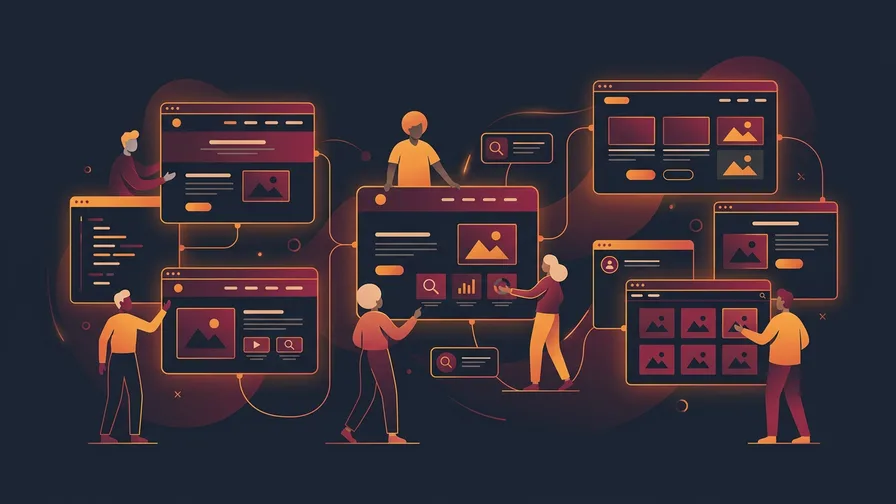
Web accessibility refers to making websites and web content accessible to everyone, including people with disabilities. By ensuring that all individuals have access to the same information and opportunities online, we can create a more inclusive society for everyone.
Accessibility is important
The goal of web accessibility is to make websites and online content accessible to everyone, including those with impairments. By ensuring your website is accessible, you are not only providing an equal experience for all of your users, but you are also demonstrating a commitment to web accessibility best practices.
This gives your business credibility and can help you attract new customers. If you want to create a credible and successful online presence for your business, web accessibility should be one of your top priorities.
Web Accessibility and Search Engines
By making your website accessible, you can improve its Search Engine Optimization (SEO). You also make it easier for people to discover your site online by making your website available to everyone.
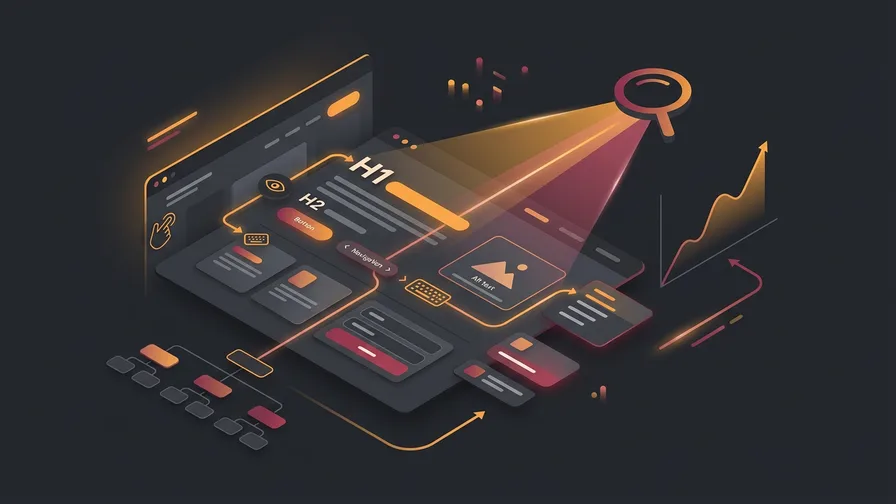
Web accessibility is the design of a website so that all people, regardless of disability, can use it. This includes making sure all content is accessible, that users can navigate the website easily and that all user interface components are operable with a keyboard alone.
Search engines are important tools for finding information on the web. However, not all search engines are created equal when it comes to finding accessible content. Some search engines have features specifically designed for people with disabilities, while others do not.
Assistive Technologies to Assist People with Disabilities
When it comes to the internet, accessibility is key. For those with disabilities, having assistive technologies in place can make all the difference in the world. Here are just a few of the many technologies that can help those with disabilities get online and stay connected:
Free Offer
Want to know what's actually hurting your website?
We'll review your site and tell you exactly what to fix, no strings attached.
Get Your Free AuditScreen readers are software programs that read aloud the text that appears on a computer screen, making the internet accessible to those who are blind or have low vision. Screen readers can also translate web pages into different languages, making it easier for people from around the world to access information online.
Screen magnifiers enlarge portions of a computer screen so that people with low vision can see them more clearly. Some screen magnifiers also provide colour adjustments and other features that make it easier for people with visual impairments to use a computer.
There are many more assistive technologies available to help people with disabilities get online, including voice-recognition software, Braille displays, and specialized web browsers. By using these technologies, people with disabilities can enjoy all the same advantages of the internet as everyone else.
A Barrier-Free Website
There are many ways that websites can become barrier-free. One way is to use proper coding techniques, such as making sure all text is readable without a style sheet, and by using proper markup for headings, paragraphs, and other elements. Images should also have descriptive alternative text so that people who are blind or have low vision can understand what they are seeing.
Websites can also make it easy for people to change the font size and colour, and to navigate through the pages using keystrokes rather than a mouse. Headlines and other important information should be placed at the top of the page, and links should be clearly labeled. In addition, websites can provide transcripts of audio content and summaries of videos for individuals who cannot access multimedia files.
Thankfully, there are ways to make your website more accessible for everyone. Here are just a few:
1. Use clear and simple language. Don’t use jargon or complex terms that people with disabilities may not be able to understand.
2. Make sure all images and videos have text descriptions. This will ensure that everyone can understand what’s going on, regardless of whether they can see the image or video.
3. Use headings and subheadings to organize your content properly. This will help people with visual impairments navigate your website easily.
4. Use colour contrast wisely. Specific colours may be difficult for people with certain types of colour blindness to see properly.
5 . Make sure all links are working and lead somewhere useful. Broken links can be extremely frustrating for anyone trying to navigate a website.
6 . Avoid using pop-ups.
Conclusion
Accessibility is about understanding the diverse needs of your users and making sure that your website can be used by as many people as possible. This means implementing features that make it easier for everyone to use, regardless of their abilities or disabilities.
There are numerous ways to make your website more accessible. If your current site falls short on any of these requirements, our website design services include accessibility reviews as part of the build process. Contact our team today.
Frequently Asked Questions
Is web accessibility legally required for small businesses?
In the United States, the ADA has been interpreted by courts to apply to websites, and businesses have faced lawsuits over inaccessible sites. Requirements vary by country and business size, but the legal risk is real and growing. Beyond compliance, accessible design simply reaches more people, which benefits any business.
What is the easiest way to check if my website is accessible?
Start with free tools like Google Lighthouse or the WAVE accessibility checker, which flag common issues such as missing image alt text, low colour contrast, and unlabeled form fields. These tools do not catch everything, but they provide a fast snapshot of the most common problems.
Does making my website accessible hurt its design?
It should not. Most accessibility improvements are invisible to users who do not need them, such as proper heading structure, alt text, and keyboard navigation. When done well, accessible design is clean and clear for everyone. The idea that accessibility and good design conflict is a myth.
Not sure how accessible your website is right now? Request a free audit and we'll flag accessibility issues alongside performance and SEO so you know exactly what to fix first.