March 1, 2026
Salon Website Design: What Clients Want to See Before They Book
TL;DR
First impressions matter in the salon industry, and your website is the first look most clients get at your work. Here's what they need to see before they pick up the phone.
In This Article
Your salon's website isn't a brochure. It's a first impression. For most potential clients, your site is where they decide whether to book with you or keep scrolling. They're not reading every word. They're scanning. They're looking at your work, checking your vibe, and deciding in seconds whether you feel like the right fit.
The salon industry is different from most service businesses because the work is so visual. A plumber doesn't need a portfolio. You do. Your website needs to showcase your talent, make booking easy, and build enough trust that a stranger feels comfortable putting their hair in your hands.
This guide covers what clients actually want to see on a salon website, what features matter most, and how your website design choices directly affect whether visitors become clients.
Lead with Your Work: The Portfolio as Hero
The single most important element on a salon website is your gallery. Not your logo, not your tagline, not a stock photo of a model. Your actual work. Real clients, real transformations, real results.
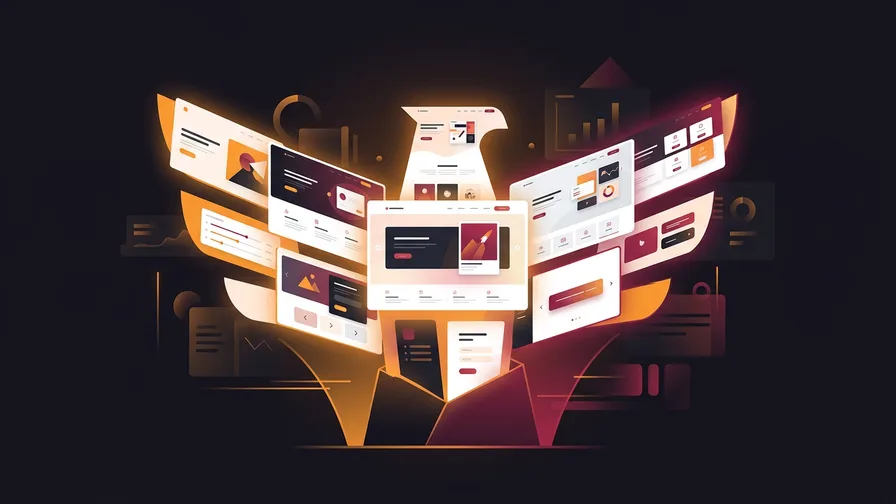
Your homepage hero section should feature stunning images of your best work. A rotating gallery or a grid of your top transformations immediately tells visitors what you're capable of. Before-and-after photos are particularly powerful because they demonstrate skill in a way words can't.
Organize your gallery by service type: colour, cuts, extensions, bridal, special occasions. This helps visitors find examples relevant to what they're looking for. Someone considering balayage wants to see your balayage work specifically, not scroll through dozens of unrelated styles.
Update your gallery regularly. A portfolio full of styles from three years ago suggests you're not keeping up with trends. Fresh work shows that you're active, in demand, and current. Aim to add new photos at least monthly. Your Instagram feed can serve as a live, always-updated secondary gallery if you embed it on your site.
Photo quality matters enormously. Blurry phone photos in bad lighting do more harm than good. You don't need a professional photographer for every shot, but invest in good lighting at your station and learn the basics of taking consistent, well-lit hair photos. A ring light and a clean background go a long way.
Online Booking: Remove Every Barrier
If a potential client visits your website at 10 p.m. on a Tuesday and can't book an appointment, you've lost them. Online booking isn't optional anymore. It's expected.
Integrate your booking system directly into your website so clients can see availability and book without leaving your site. Whether you use Vagaro, Fresha, Booksy, Square Appointments, or another platform, the booking experience should feel seamless. A "Book Now" button should be visible on every page, ideally in your navigation bar and as a floating element on mobile.
Keep the booking process simple. The fewer steps between "I want an appointment" and "I have an appointment," the better. Let clients select their stylist, choose a service, pick a date and time, and confirm. Don't require account creation. Don't ask for unnecessary information upfront. Every extra step is a chance for someone to change their mind.
For new clients, include a brief note about what to expect at their first visit. How early should they arrive? Is there a consultation included? Do they need to do anything to prepare? This small touch reduces anxiety and makes the booking feel more personal.
Service Menu: Be Clear About What You Offer and What It Costs
Pricing transparency is one of the most debated topics in the salon industry. Some owners prefer "starting at" pricing or consultation-based quotes. Others list exact prices. Whatever approach you choose, your service menu needs to be clear, organized, and easy to find.
At minimum, list every service you offer with a brief description. People don't always know the difference between a partial highlight and a full highlight, or what a gloss treatment involves. Short, plain-language descriptions help clients understand what they're booking and set expectations.
If you use "starting at" pricing, explain why prices vary. "Pricing depends on hair length, thickness, and desired result" is honest and reasonable. Most clients appreciate transparency more than they care about the exact number. What frustrates people is having no idea whether a service costs $80 or $300.
Group your services logically: colour services, cutting and hair styling, treatments and conditioning, texture services, bridal and special occasions. This structure helps visitors find what they need quickly and also helps search engines understand what your salon offers, which supports your SEO performance.
Stylist Profiles: Let Clients Choose Their Person
People don't just book at a salon. They book with a specific person. Stylist profiles are one of the most visited sections of salon websites, and they play a major role in helping new clients feel confident about their choice.

Each stylist's profile should include a professional photo (not a selfie), their specialties, their experience level, and a short personal bio. Let their personality come through. A few sentences about why they love what they do, their training background, or their favourite types of transformations makes them feel real and approachable.
Include a mini portfolio for each stylist. A grid of four to six of their best recent looks gives potential clients a clear picture of that person's style and skill level. Link each profile directly to that stylist's booking page so the next step is obvious.
If your stylists have specific certifications, advanced training, or brand partnerships (like being a Redken specialist or a DevaCurl certified stylist), mention it. These credentials build trust and can be the deciding factor for clients looking for specific expertise.
Mobile-First Design: Most Clients Are Browsing on Their Phone
The majority of people searching for a hair salon, hairdresser, or beauty salon are doing it on their phone. They might be on the bus, sitting in a waiting room, or lying in bed at night. If your website doesn't look and work perfectly on a small screen, you're losing the majority of your potential clients.
Free Offer
Want to know what's actually hurting your website?
We'll review your site and tell you exactly what to fix, no strings attached.
Get Your Free AuditMobile-first design means building your site for phones first and scaling up to desktop, not the other way around. Every element should be easy to read, tap, and navigate on a small screen. Buttons should be large enough to tap without zooming. Text should be readable without pinching. Images should load quickly without eating through someone's data.
Page speed is critical on mobile. Large, unoptimized images are the most common culprit for slow salon websites. Compress your photos, use modern formats like WebP, and make sure your site loads in under three seconds. Every extra second of load time increases the chance a visitor gives up and goes to a competitor.
Test your site on an actual phone, not just a desktop browser resized to mobile width. Tap every button. Fill out every form. Go through the booking process. The experience should feel effortless.
Brand Consistency: Your Website Should Feel Like Your Salon
Walk into a high-end salon and you notice everything: the colours, the textures, the music, the scent. The space tells you what kind of experience you're going to have. Your website needs to do the same thing, digitally.
Your colour palette, typography, and imagery should reflect the real-world experience of your salon. If your space is modern and minimalist, your website should be clean and airy. If your salon has a warm, vintage aesthetic, your site should echo that warmth. Disconnect between your online and offline presence creates confusion and erodes trust.
Use consistent branding across every touchpoint: your website, your social media, your booking confirmation emails, your business cards. When someone finds you on Instagram, clicks through to your website, and then walks into your salon, the experience should feel connected at every stage.
Avoid using generic stock photos. They're instantly recognizable, and they make your site feel like a template. Use your own photos as much as possible. If you need supplementary images, invest in a professional shoot at your actual salon with your actual team.
Trust Signals: Testimonials, Location, and Essential Details
Before booking, most clients want answers to a few practical questions. Where are you located? What are your hours? Is parking easy? What do other clients think of you?

Display your address, hours, and contact information prominently. Don't bury them in a footer that requires scrolling. Include an embedded Google Map so clients can see exactly where you are and plan their visit. If parking is tricky or there are specific entry instructions, mention them. These small details reduce friction and show that you care about the client experience before they even arrive.
Feature client testimonials throughout your site, not just on a dedicated testimonials page. Place them on your homepage, your service pages, and your stylist profiles. Video testimonials are even more powerful if you can get them. A real client talking about their experience carries more weight than any copy you could write.
If you've won awards, been featured in publications, or have notable brand partnerships, display those credentials. Trust badges, press logos, and award icons provide quick visual proof of credibility. Place them near your calls to action where they can reinforce the decision to book.
For new clients specifically, consider a dedicated "New Clients" or "First Visit" page. Cover what to expect, your cancellation policy, how consultations work, and any prep instructions. Removing uncertainty makes the decision to book feel safer, especially for someone who has never been to your salon before.
FAQ
How much does a salon website cost?
A professionally designed salon website typically ranges from $2,000 to $8,000 depending on the features, number of pages, and level of customization. Template-based options are cheaper but often lack the flexibility and polish that make a salon site stand out. The investment pays for itself quickly when your website consistently converts visitors into booked appointments.
Should my salon website include pricing?
Some form of pricing information is strongly recommended. You don't need to list exact prices for every variation, but "starting at" ranges or general pricing tiers help potential clients gauge whether your salon fits their budget. Sites that hide pricing entirely tend to lose visitors who don't want to call just to find out if they can afford a haircut. Remember, "haircut near me" is one of the highest-volume search terms in the beauty industry, so your pricing page doubles as a landing page for those searchers.
What booking platform works best for salons?
Popular options include Vagaro, Fresha, Booksy, and Square Appointments. The best choice depends on your specific needs: team size, payment processing preferences, and whether you need features like automated reminders or retail inventory. What matters most is that the booking experience on your website is seamless and doesn't send clients to a completely different-looking page.
How often should I update my salon website?
Your gallery should be updated at least monthly with fresh work. Service offerings and pricing should be reviewed quarterly. Blog content, if you have one, benefits from at least one or two new posts per month. The overall design can last two to three years before it starts to feel dated, but small updates to content should be ongoing.
Do I need a separate Instagram and website, or can I just use Instagram?
You need both. Instagram is a powerful tool for showcasing your work and building community, but it's not a replacement for a website. You don't own your Instagram account the way you own your website. Algorithm changes can slash your visibility overnight. Your website is your home base: it's where clients go to book, where Google sends search traffic, and where you control the entire experience.
If your salon's website isn't converting visitors into booked appointments, something is off. Request a free website audit and we'll review your site's design, speed, mobile experience, and booking flow to pinpoint exactly what's holding you back.