January 27, 2026
How to Reduce Shopping Cart Abandonment on Your Small E-Commerce Store

TL;DR
Seven out of ten shoppers leave without buying. Here are the specific fixes that bring them back, from checkout flow to abandoned cart emails.
In This Article
Seven out of ten people who add something to your cart leave without buying. That's not a rough estimate. Baymard Institute's meta-analysis of 50 studies puts the average cart abandonment rate at 70.22%. For small e-commerce stores, that number is often higher.
The good news: most cart abandonment is preventable. Shoppers aren't leaving because they don't want what you sell. They're leaving because something in the checkout experience made them pause, get annoyed, or lose confidence. Fix those things and a meaningful percentage of them come back.
The Main Reasons Shoppers Abandon Carts
Knowing why people leave gives you the right targets to fix. According to the Baymard Institute's research on checkout abandonment, the top reasons are:
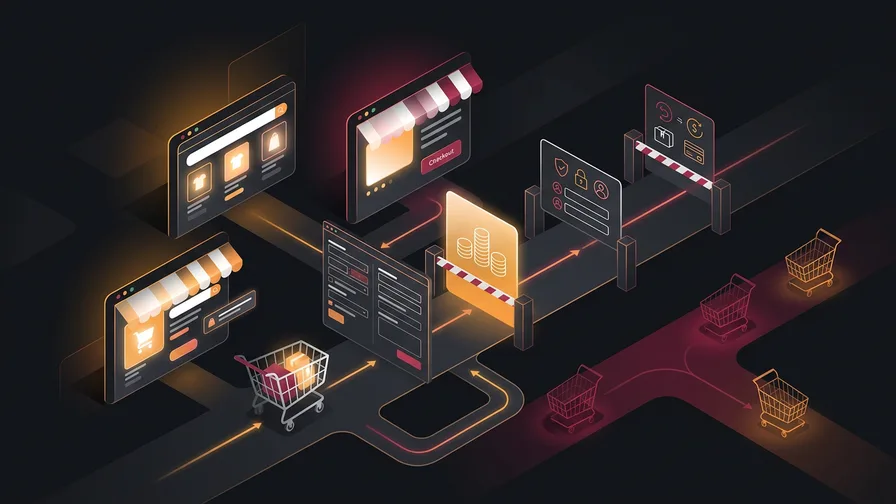
- Unexpected extra costs (shipping, taxes, fees): 39% of shoppers cite this as the reason they leave. This is the single biggest driver of abandonment.
- Slow or expensive delivery: 21% leave because delivery timelines don't meet expectations.
- Forced account creation: roughly a quarter of shoppers abandon when they're required to create an account before they can buy.
- Being "just browsing" or not ready to buy right now: a smaller but real segment that no checkout optimization will fix.
The first three are directly fixable. The last one is just normal browse behaviour. Focus your energy on the fixable ones.
Show All Costs Before the Final Step
Unexpected costs at checkout are the leading cause of abandonment. The fix is transparency, and it needs to happen earlier than most stores deliver it.
Show estimated shipping costs on the product page or cart page, not just at checkout. If you offer free shipping above a threshold, display it prominently: "You're $12 away from free shipping" is a conversion driver as much as it is an abandonment preventer. If you charge taxes at checkout, mention that taxes will be added at checkout rather than letting it appear as a surprise.
One practical approach: display a shipping estimator widget in the cart. Most e-commerce platforms (Shopify, WooCommerce) have native options or free plugins for this. It adds one click of friction but removes the sticker shock at step three of checkout.
Offer Guest Checkout
Requiring account creation before purchase is a friction point you're adding on purpose, usually for your benefit, not the customer's. Baymard Institute's research shows that roughly one in four shoppers leave specifically because of it.
The fix is simple: add a guest checkout option. If you want to collect accounts, offer it after the purchase is complete. "Would you like to save your details for next time?" lands much better after someone has already handed over their credit card. They've made the commitment. Now the ask feels like a convenience, not a gate.
Reduce Checkout to as Few Steps as Possible
Every page, every form field, every decision in your checkout funnel is an opportunity to leave. Baymard's research consistently shows that the average e-commerce checkout contains 23 form fields. Most stores only need 8 to 12 to complete a transaction.
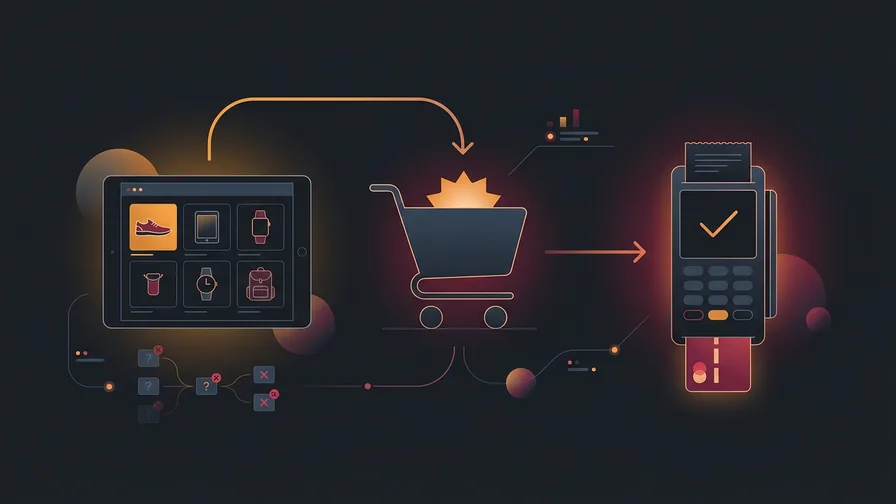
Audit your checkout form and ask: does this field actually affect whether I can fulfill the order? If not, cut it. Auto-fill whatever you can (postal code lookup for city/province is a small thing that removes obvious friction). Accept digital wallets like Apple Pay or Shop Pay, which let mobile shoppers skip form entry entirely.
For e-commerce website design, the goal is to get the customer from cart to confirmation in as few keystrokes as possible. Speed matters on mobile especially, where most e-commerce browsing now happens.
Free Consultation
Ready to get more from your marketing?
Book a free call and we'll look at what's working, what's not, and where to focus next.
Book a Free CallSet Up Abandoned Cart Emails
Some abandonment is recoverable. Shoppers get distracted, compare prices, need to think it over. An automated abandoned cart email sequence gives them a reason to come back.
According to Klaviyo's analysis of 143,000+ abandoned cart flows, the average placed order rate for abandoned cart emails is 3.33% per recipient. That's the highest conversion rate of any automated email flow, well above promotional campaigns. For stores with meaningful traffic, that recovery adds up quickly.
A basic sequence that works:
- Email 1 (1 hour after abandonment): A simple reminder with the cart contents. No discount needed. Most people who come back within an hour just needed a nudge.
- Email 2 (24 hours later): A brief note that their cart is saved, plus a reminder of any return policy or guarantee.
- Email 3 (48-72 hours later): If you have margin to offer an incentive, a small discount or free shipping offer here captures the price-sensitive segment.
Klaviyo and Mailchimp both have native abandoned cart flows for Shopify and WooCommerce. If you're already using email marketing for your store, this is the single highest-ROI automation you can add.
Add Trust Signals Near the Checkout Button
Hesitation at checkout is often about trust, not price. A shopper who doesn't recognize your brand may pause before entering their credit card details. Trust signals placed near the "Complete Order" button address that pause directly.
What works:
- Security badges (SSL/padlock, accepted payment logos)
- Return policy summary (one sentence: "Free returns within 30 days")
- A recent customer review or star rating near the CTA
- A money-back guarantee statement if you offer one
None of these add visual clutter if placed well. They answer the "is this safe?" question at the exact moment a shopper is deciding whether to trust you with their payment details.
Test on Mobile Before You Optimize Anything Else
More than half of e-commerce traffic is now mobile. If your checkout is hard to navigate on a phone, the conversion fixes above are all secondary to that. Tap targets too small, forms that don't auto-zoom correctly, address fields that require switching keyboards repeatedly: these are the friction points that drive mobile abandonment more than anything else.

Go through your entire checkout on your phone. Actually do it. Note every place you feel friction. That's your priority list.
Frequently Asked Questions
What is a good cart abandonment rate for a small e-commerce store?
Most small stores land somewhere between 65% and 80%. The industry average across all online retail is about 70%. Getting below 65% is genuinely strong performance and usually requires systematic optimization across checkout design, email recovery, and mobile experience.
Do abandoned cart discounts hurt margins?
They can if overused. The risk is training customers to abandon carts on purpose to wait for a discount. Keep discount emails as the third step in the sequence, not the first. Start with a simple reminder, then add incentive only to the shoppers who still haven't returned after 48 hours.
How long does it take to see results from cart abandonment fixes?
Email flows show results within the first month because the data is immediate. Checkout redesign improvements take longer to measure: you need enough transactions to distinguish a real lift from normal variance. For most small stores, give it 60 to 90 days with consistent traffic before drawing conclusions.
If you want a detailed look at what's causing friction in your specific checkout, book a free call and we'll walk through your e-commerce conversion path together.