March 31, 2026
Marketing Automation for Small Business: What It Is and Whether You Actually Need It
TL;DR
Marketing automation can save hours every week and keep leads warm automatically. But it only works if the right foundations are in place first. Here's how to tell if you're ready.
In This Article
Marketing automation is one of those terms that means everything and nothing depending on who's using it. To a large enterprise, it's a complex multi-channel system. To a small business, it can be as simple as a follow-up email that sends itself after someone fills out a contact form. Both are automation. The question is which version is right for you right now.
Here's a plain-English breakdown of what marketing automation actually does, what it requires to work, and how to know if it's worth the investment for your business.
What Marketing Automation Actually Is
At its core, marketing automation is software that sends the right message to the right person at the right time, without you manually doing it each time. Instead of remembering to follow up with every new lead or re-engage every customer who hasn't bought in six months, you set up the sequence once and the system handles it.
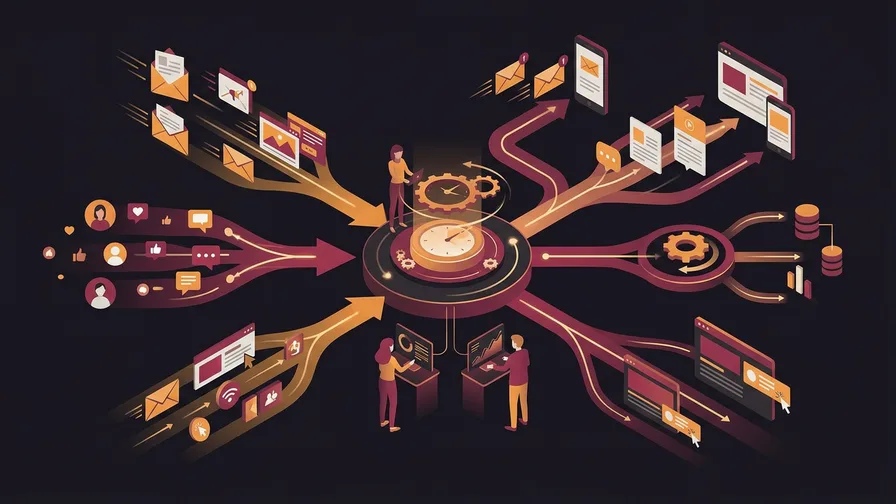
Common examples for small businesses:
- Lead follow-up sequences. Someone fills out your contact form. An automated email goes out within minutes thanking them and setting expectations for when you'll be in touch. A second email follows up 24 hours later if you haven't connected yet.
- Abandoned cart emails. An e-commerce customer adds items to their cart but doesn't buy. An automated email (or series) reminds them and possibly offers an incentive.
- Onboarding sequences. A new client signs up. A series of emails over the first two weeks helps them get started, reduces early drop-off, and sets them up for success.
- Re-engagement campaigns. Customers who haven't purchased in 90 or 180 days automatically receive a relevant offer or a check-in email.
- Review requests. After a service is completed, an automated email or text goes out asking for a Google review, timed to when satisfaction is highest.
Each of these sequences requires setup time upfront but then runs without ongoing effort. That's the core value proposition: time leverage.
What You Need Before Automation Makes Sense
Automation amplifies what's already working. It doesn't fix a broken offer, replace a weak follow-up process, or compensate for a website that doesn't convert. Before investing in automation tools, you need a few things in place:
A consistent lead source. If you're getting five leads a month, automation isn't your bottleneck. The manual follow-up time is manageable, and the tools cost more than they save. Automation becomes genuinely valuable when the volume of leads or customer touchpoints is large enough that manual handling creates real friction or things start falling through the cracks.
A clear customer journey. Automation sequences need to map to something real. You need to know: what happens after someone fills out a form? What does a new customer need to know in their first week? What would bring a lapsed customer back? If you haven't thought through these paths, automating them just sends emails into a void.
An email list or CRM. Most marketing automation tools connect to your contact database and trigger sequences based on actions or tags. If your contacts live in a spreadsheet or sticky notes, the first step is getting them into a proper system before adding automation on top.
Which Tools Are Worth Looking At
The right tool depends on what you're automating and what other systems you're already using.
For email-first automation: Mailchimp, MailerLite, and Kit (formerly ConvertKit) all have solid automation builders at accessible price points. MailerLite's free plan includes automations, which makes it a reasonable starting point for businesses just getting into it.
For e-commerce stores: Klaviyo integrates directly with Shopify and WooCommerce and is purpose-built for e-commerce automation. Abandoned cart flows, post-purchase sequences, and win-back campaigns are its core strengths. It's more expensive than general-purpose email tools but the e-commerce-specific features justify the cost once you have the volume to use them.
Free Consultation
Ready to get more from your marketing?
Book a free call and we'll look at what's working, what's not, and where to focus next.
Book a Free CallFor CRM-based automation: HubSpot's free CRM includes basic automation and is worth considering if you're managing a sales pipeline alongside your marketing. ActiveCampaign is a strong mid-tier option for businesses that need more sophisticated conditional logic in their sequences.
Avoid over-investing in a platform before you know what you actually need it to do. Start simple, run a few sequences, and upgrade only when you've outgrown what you have.
The Sequences Worth Building First
If you're new to automation, three sequences deliver the most return for the time invested:
1. Lead response sequence. The faster you follow up with a new lead, the higher your close rate. An immediate automated response acknowledging receipt, followed by a personal reply from you within a few hours, keeps leads warm while reducing the pressure to respond instantly to every inquiry.
2. Post-purchase or post-service follow-up. A short email sequence after a purchase or completed service does three things: thanks the customer, reinforces their decision, and creates the right moment to ask for a review or referral. Most businesses skip this and leave both reviews and repeat purchases on the table.
3. Re-engagement campaign. A simple sequence targeting customers who haven't interacted in 90 or 180 days. One email with something of genuine value (a tip, a seasonal reminder, a relevant offer). Most businesses have past customers who would buy again if they were simply reminded at the right time.
These three sequences, built once and running continuously, can meaningfully increase revenue without ongoing effort once they're live.
What Automation Cannot Do
Automation can handle timing and consistency. It cannot replace judgment, relationship, or genuine personalization beyond what you've built into the sequence.
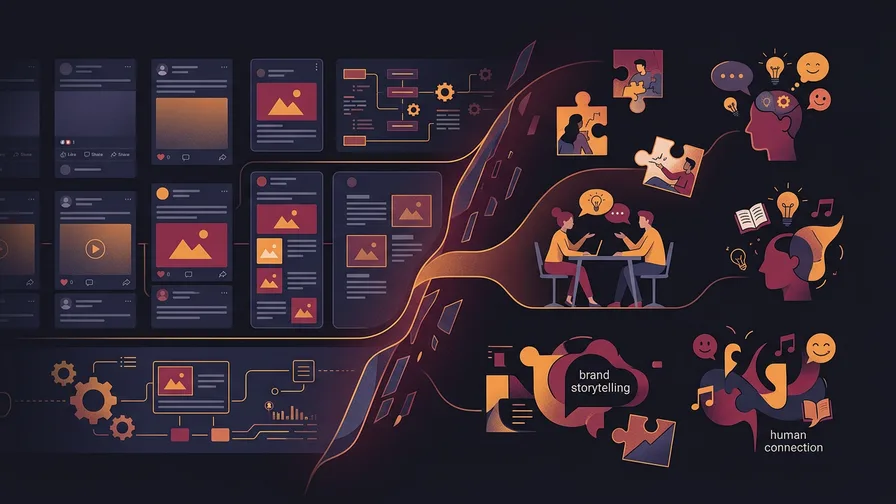
A poorly written automated email that goes to 500 people is 500 poor impressions. Automation scales what you put into it. If the content is generic or the offer is weak, sending it automatically just distributes the problem more efficiently.
The other limit: automation works best for predictable, recurring touchpoints. One-off situations, complex sales conversations, and relationship maintenance with high-value clients still benefit from personal attention. Automation handles the systematic stuff so you have more time for the human parts.
Frequently Asked Questions
How much does marketing automation cost for a small business?
Entry-level tools start free (MailerLite, HubSpot's basic CRM) or at $15 to $30 per month for the features most small businesses actually use. Mid-tier tools with more advanced segmentation and CRM integration run $50 to $200 per month. Enterprise platforms that most small businesses don't need can run thousands per month. Start at the low end and upgrade as specific gaps emerge.
How long does it take to set up marketing automation?
A basic lead follow-up sequence can be live in an afternoon. A full set of onboarding, re-engagement, and post-purchase sequences takes a few days to build and test properly. The time investment is front-loaded: once sequences are built and running, they require occasional review and adjustment rather than ongoing daily attention.
Should I hire someone to set up my automation, or do it myself?
For basic sequences, doing it yourself is reasonable if you're comfortable with email tools. Most platforms have drag-and-drop builders and solid documentation. For more complex setups, connecting multiple tools, building conditional logic based on customer behaviour, or integrating automation with your CRM and e-commerce platform, working with someone who specializes in it typically saves time and avoids costly mistakes in the setup.
If you're not sure where automation fits into your current marketing, book a call and we'll give you an honest read on what would actually move the needle for your business right now.