September 23, 2025
E-commerce Checkout Optimization: Why Small Businesses Lose 70% of Sales

TL;DR
70% of online shoppers abandon their cart at checkout. Most of the reasons are fixable. Here's what's causing the drop-off and the specific changes that bring those sales back.
In This Article
TL;DR
- Shopping cart abandonment averages 70% across all industries, costing small businesses thousands in lost revenue monthly
- The biggest checkout killers include forced account creation, hidden fees, complicated processes, and poor mobile experience
- Simple fixes like guest checkout, transparent pricing, and mobile optimization can dramatically improve conversion rates
- Professional e-commerce design addresses these issues from day one, preventing costly abandonment problems
- Recovery strategies like abandoned cart emails can recapture 10-15% of lost sales
In This Article
- The Reality of Checkout Abandonment
- 7 Biggest Checkout Killers
- Proven Optimization Strategies
- Real-World Results
- Tools and Technologies
- Beyond Checkout
- FAQ
Picture this. A potential customer spends 20 minutes browsing your online store, adds three items to their cart, and heads to checkout. Then… nothing. They disappear forever, leaving behind a cart full of products they seemed ready to buy.
If this scenario sounds familiar, you’re not alone. The harsh reality is that roughly 70% of online shoppers abandon their carts before completing a purchase. For small businesses, this isn’t just a statistic, it’s money walking out the door every single day.
We’ve seen countless small business owners scratch their heads wondering why their beautiful website isn’t converting. The truth? Your problem might not be traffic or product quality. Your checkout process could be sabotaging your sales without you even realising it.
The Shocking Reality of Checkout Abandonment Rates
Let’s talk numbers because they’re pretty eye-opening. The average checkout abandonment rate sits around 70%, but for some industries, it climbs even higher. Mobile commerce? That can hit 85-86% abandonment rates.
Here’s what this means for your bottom line. If you’re a small business generating 1,000 visitors per month, and 100 of them add items to their cart, you’re potentially losing 70 sales. If your average order value is $75, that’s $5,250 in lost revenue every month. Over a year? You’re looking at $63,000 that could have been in your bank account.
The problem is getting worse, not better. With more payment options, faster competitors, and shorter attention spans, customers have zero patience for friction in the checkout process. They expect Amazon-level smoothness from every online store, regardless of size.
What really frustrates us is when business owners assume this is just “normal” e-commerce behaviour. Yes, some abandonment is inevitable, but 70%? That’s not normal, that’s a symptom of poor checkout design.
The 7 Biggest Checkout Killers for Small Business E-commerce
1. Forced Account Creation
Nothing kills a sale faster than demanding someone create an account when they just want to buy something. We see this mistake constantly, especially with small businesses who think they’re being smart by building their email list.
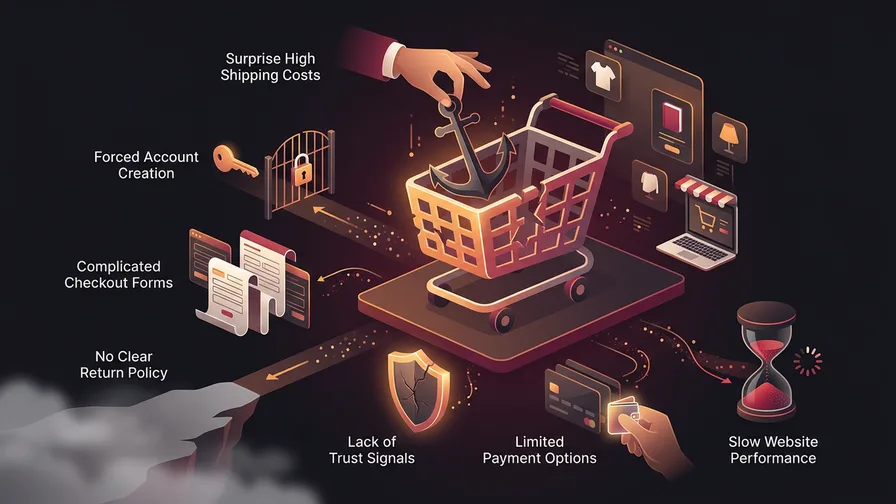
The reality? Multiple studies show that 19-26% of customers abandon their carts when forced to create an account. That’s roughly 1 in 4 potential customers walking away. Customers don’t want another password to remember, especially if this is their first purchase from you. They want to buy now and decide later if they trust you enough for a long-term relationship.
Guest checkout is nice too because maybe they’re just buying one thing from you they need and really it is a one-off buy. Why force them through account creation when they might never shop with you again?
Guest checkout isn’t just nice to have, it’s essential. You can always ask customers to create an account after they complete their purchase, when they’re feeling good about their buying decision.
2. Hidden Costs and Surprise Fees
This is one of the most frustrating mistakes we see businesses make. They hide shipping costs, taxes, or handling fees until the final checkout step. This is a conversion killer.
Unexpected costs are the top reason for cart abandonment, accounting for 48% of cases according to recent Baymard Institute research. Customers feel tricked, and rightfully so. If shipping costs $15, tell them upfront. If taxes add 13%, show it early.
Transparency builds trust. Display shipping costs on product pages, offer free shipping thresholds, and be upfront about all fees. Yes, some people might not start the checkout process, but the ones who do will actually complete it.
3. Complicated Multi-Step Processes
Too many checkout steps overwhelm customers and increase abandonment rates. Research shows that lengthy, complicated processes are one of the top reasons people give up before completing their purchase.
The optimal checkout process has 2-3 steps maximum. Step one: customer information. Step two: payment and shipping. Step three (optional): confirmation. That’s it.
If you must use multiple steps, show progress indicators. People need to know where they are and how much longer the process will take. Uncertainty leads to abandonment.
4. Limited Payment Options
Your customers want to pay how they want to pay. Offering only credit cards in 2025 is like only accepting cash at a restaurant. You’re turning away perfectly good money.
Include multiple payment options: credit cards, PayPal, Apple Pay, Google Pay, and buy-now-pay-later services like Klarna or Afterpay. Different demographics prefer different payment methods, and you want to accommodate everyone.
The data shows that offering digital wallets alone can reduce abandonment by improving the checkout experience significantly. These payment methods are faster, more secure, and eliminate the need for customers to dig out their credit cards.
5. Poor Mobile Checkout Experience
More than half of e-commerce traffic comes from mobile devices, but many small business websites treat mobile checkout as an afterthought. Big mistake.
Mobile checkout needs to be finger-friendly. Large buttons, simplified forms, and auto-fill capabilities aren’t luxuries, they’re necessities. If someone has to pinch and zoom to enter their credit card number, they’re gone.
Page speed is crucial for mobile checkout success. A slow mobile checkout creates a frustrating user experience that drives customers away.
6. Security Concerns and Trust Signals
Online shoppers are paranoid about security, and they should be. If your checkout doesn’t feel secure, people won’t complete their purchase.
Display security badges prominently. SSL certificates, Norton badges, and payment processor logos all help build confidence. Include customer testimonials near the checkout, show your return policy clearly, and provide easy access to customer service contact information.
Free Consultation
Ready to get more from your marketing?
Book a free call and we'll look at what's working, what's not, and where to focus next.
Book a Free CallTrust signals aren’t just about security. They’re about legitimacy. Small businesses especially need to work harder to appear credible compared to established brands.
7. Slow Loading Times
A one-second delay in page load time can significantly reduce conversions. For a checkout page, any delay feels like an eternity.
Customers interpret slow loading as either poor quality or potential security issues. Neither interpretation helps your sales. Optimise images, minimise plugins, and invest in quality hosting. Your checkout should load in under three seconds, preferably faster.
Proven Checkout Optimization Strategies That Actually Work
Streamline Your Checkout Flow
Single-page checkout works well for simple purchases, but multi-step can actually perform better for complex orders. The key is logical flow and clear progress indication.
Start with the most critical information: email and shipping address. Then move to payment details. Save optional elements like marketing preferences for last or eliminate them entirely.
Reduce form fields to absolute essentials. Do you really need their phone number? Can you auto-fill the city based on postal code? Every field you eliminate improves your chances of completion.
Build Trust at Every Step
Trust isn’t built at the final “buy now” button. It’s accumulated throughout the entire checkout process.
Include security messaging at each step. “Your information is secure and encrypted” works better than just showing an SSL badge. Explain what happens next: “You’ll receive a confirmation email within 5 minutes.”
Customer testimonials or reviews near the checkout can provide last-minute reassurance. Social proof is powerful when people are making spending decisions.
Optimise for Mobile-First
Design your checkout process on mobile first, then adapt for desktop. This ensures the mobile experience is smooth rather than being a cramped version of the desktop checkout.
Use device capabilities like auto-fill, camera-based credit card scanning, and location services for shipping addresses. Make the experience faster and easier than competitors.
Large, touch-friendly buttons are non-negotiable. The “Place Order” button should be impossible to miss and easy to tap, even with cold fingers or gloves.
Recovery and Retargeting
Not everyone who abandons their cart is lost forever. Implement abandoned cart email sequences to bring customers back.
Send the first email within an hour, while the products are still fresh in their mind. Include images of the abandoned items and a direct link back to checkout. Don’t be pushy, be helpful.
Exit-intent popups can capture some customers before they leave. Offer a small discount or free shipping to encourage completion. Just don’t make this offer visible to everyone, or you’ll train customers to abandon carts to get discounts.
Real-World E-commerce Checkout Optimization Results
When businesses fix their checkout processes, the results can be significant. Even individual changes like adding guest checkout or cutting unnecessary form fields can produce measurable lifts in completion rates.
One common pattern: businesses that simplify their checkout flow by reducing steps and removing friction often see noticeable improvement in completion rates. Adding mobile-optimised payment options like Apple Pay often delivers additional conversion improvements.
The compounding effect is where things get interesting. Fix multiple checkout issues simultaneously, and the gains stack up. The Baymard Institute found that comprehensive checkout optimisation, addressing dozens of UX issues across the entire flow, can lead to conversion rate improvements of up to 35%.
Professional e-commerce design incorporates these optimization principles from the ground up. Starting with the right foundation prevents these costly issues rather than fixing them later.
Tools and Technologies for Better Checkout Experience
The right tools can automate much of the optimization process. Platforms like Shopify and WooCommerce include built-in checkout optimization features, but they need proper configuration.
Google Analytics and hotjar help identify exactly where customers drop off. Heat mapping shows which elements confuse users and which buttons they actually click.
For testing improvements, tools like Optimizely or VWO let you A/B test different checkout flows. This removes guesswork and shows you what actually works for your specific audience.
Don’t overlook payment processors. Stripe, PayPal, and Square all offer checkout optimization tools and detailed abandonment analytics. Use this data to make informed improvements.
Beyond Checkout: Optimising Your Entire E-commerce Funnel
Checkout optimisation is crucial, but it’s only part of the conversion equation. If customers struggle to find products or understand their value, they’ll never reach checkout.
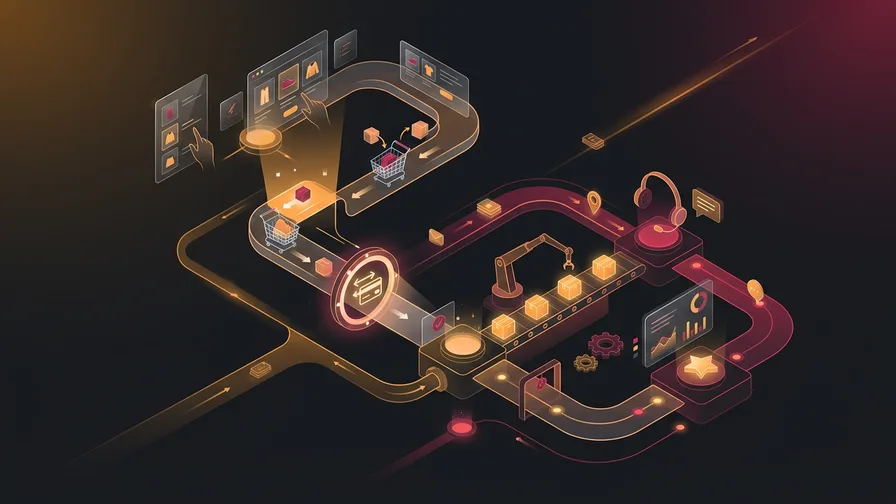
Product pages need clear descriptions, multiple photos, and obvious “Add to Cart” buttons. Category pages should make browsing intuitive. Search functionality needs to actually work. If you’re running promotions or campaigns, well-designed landing pages can also pull more shoppers into your checkout funnel with higher intent.
A well-designed website creates a seamless path from discovery to purchase. Every element should guide customers toward conversion while building trust and confidence. For more detailed guidance on e-commerce website development, read our article on how to build a successful ecommerce website business.
The goal isn’t just to fix checkout problems, but to create an entire e-commerce experience that competitors can’t match. This requires understanding customer behaviour at every touchpoint.
Frequently Asked Questions About Checkout Optimisation
What’s a good checkout abandonment rate for small businesses?
While industry average is around 70%, well-optimised checkouts can achieve 50-60% abandonment rates. Anything below 65% is considered good for small businesses, and below 55% is excellent.
How much does poor checkout design cost my business?
For every 100 people who add items to cart, poor checkout design could cost you 30-40 additional sales. With average order values of $50-100, this easily represents thousands in monthly lost revenue.
Should I use a third-party checkout solution or build custom?
For most small businesses, platforms like Shopify, WooCommerce, or BigCommerce provide optimised checkout experiences without custom development costs. Custom solutions make sense only for very specific requirements or large-scale operations.
Your checkout process might be the difference between a struggling online store and a thriving business. The fixes aren’t complicated, but they require attention to detail and understanding of customer behaviour.
Most small business owners focus on driving more traffic to their website. That’s important, but optimising conversion rates from existing traffic is often more profitable and faster to implement.
If your checkout process is leaking sales and you're not sure where to start fixing it, book a free consultation. We'll walk through your current setup and show you the changes that will have the biggest impact on your conversion rate.