February 10, 2026
Dental Marketing Automation: Recall, No-Show Recovery, and Reactivation That Work
TL;DR
Most dental practices lose more revenue from patients who don't come back than they ever lose to bad marketing. Automation closes that gap. Here's what dental marketing automation actually does, the three highest-ROI use cases, what to budget, and how to roll it out without making patients feel spammed.
In This Article
Most dental practices treat marketing as a "bring more patients in" problem. That's half the picture. The other half is what happens after a patient walks through the door, gets their cleaning, and either comes back in six months or quietly drifts off your books. The math on patient retention is brutal in either direction. Practices with strong recall and reactivation systems compound. Practices without them have to keep paying to acquire new patients to replace the ones who silently left.
Marketing automation is the unglamorous backbone of the practices that compound. Set up well, it handles recall reminders, no-show recovery, dormant-patient reactivation, post-treatment follow-up, review requests, and treatment-plan acceptance nudges, all without your front desk having to remember anything. Set up badly, it spams your patients and trains them to mute you. This article is about what good looks like.
If you're a US dentist reading this, the use cases and platforms here apply on both sides of the border. Most Canadian dollar figures convert to USD at roughly 0.72 to 0.77x at current exchange rates. The patient communication regulation differs (CASL in Canada versus TCPA and HIPAA in the US), so confirm compliance with your jurisdiction before turning automated messaging on. We work with practices in both markets.
A note on any numbers in this article: the dollar ranges, recovery rates, and impact estimates are ballpark observations from current Canadian dental marketing conditions, not published authoritative benchmarks. Treat them as planning anchors and verify against your own practice data once the system is live.
What "Dental Marketing Automation" Actually Means
Marketing automation in dentistry isn't the same thing as marketing automation in e-commerce or B2B SaaS. The use cases are narrower, the messaging is more personal, and the consequences of getting it wrong are higher because you're communicating about health.

For a dental practice, marketing automation usually means three categories of tools working together:
- Practice management integrations. Tools that read from your PMS (Dentrix, Open Dental, ClearDent, Tracker, etc.) and trigger communications based on appointment status: "patient is due for recall," "patient has an outstanding treatment plan," "patient just had a procedure yesterday."
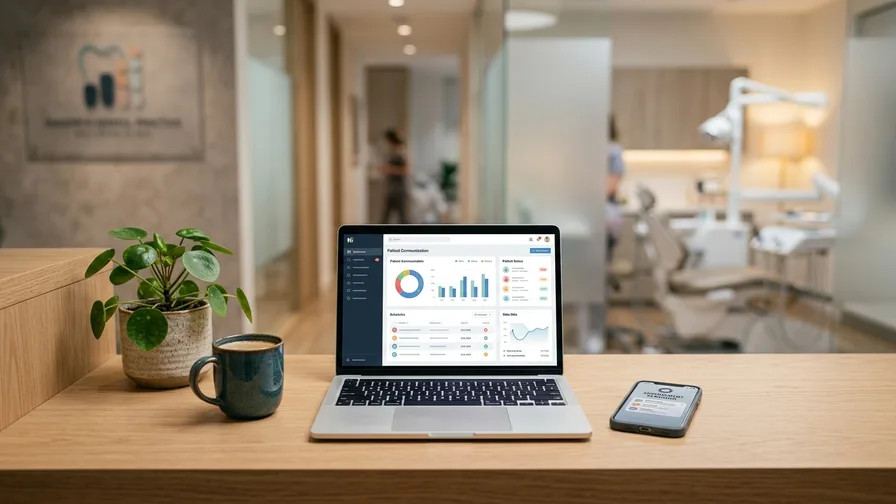
- Patient communication platforms. Tools like Solutionreach, Lighthouse 360, Modento, NexHealth, or Weave that send automated SMS, email, and sometimes voice messages on a schedule or based on PMS triggers.
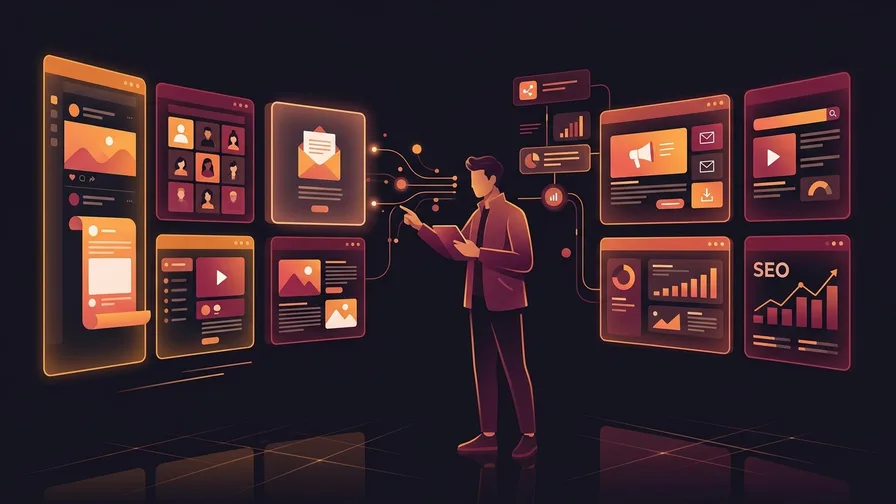
- General marketing automation tools. Platforms like ActiveCampaign, Mailchimp, or HubSpot that handle broader nurture sequences, newsletters, and campaigns that aren't tied to a clinical event.
The first two are dental-specific and where most of the ROI lives. The third is supplementary, useful for practices doing more sophisticated marketing on top of the basics.
The Three Highest-ROI Automation Use Cases
If you do nothing else with automation, do these three. They almost always pay for themselves within the first quarter.
1. Recall reminders for regular cleanings and check-ups
The single highest-ROI automation in dental. Patients on a 6-month or 9-month recall schedule who don't get reminded show up at lower rates than patients who get a sequence of well-timed nudges. The cumulative revenue difference over a year is meaningful for any practice with more than a few hundred active patients.
What a good recall sequence looks like:
- 4 to 6 weeks before due date: First reminder, friendly and brief, with a one-click booking link if your system supports it.
- 2 weeks before: Second touch if they haven't booked.
- On the due date: A more direct nudge that names the patient and references the last visit.
- 30 to 60 days overdue: A different tone: "we noticed you haven't booked, is there something we can help with?"
- 90+ days overdue: Roll into the reactivation sequence.
The cadence matters. Too aggressive and you train patients to mute you. Too passive and the dormancy rate creeps up.
2. No-show recovery and confirmation sequences
No-shows aren't just lost chair time. They're chair time that can't be sold to anyone else on short notice. Reducing no-shows directly improves practice production without spending a dollar on patient acquisition.
A good no-show prevention and recovery system includes:
- Booking confirmation sent immediately after the appointment is made (email plus SMS).
- 48-hour confirmation with a one-tap "yes I'll be there" / "I need to reschedule" option.
- 24-hour confirmation for high-value appointments or known no-show risk patients.
- Same-day rebook outreach when a patient does no-show: automated, within 2 hours of the missed appointment, with an apology-free reschedule link.
- Repeat-no-show flagging in your PMS so the team knows which patients have a history before they book the next visit. Decisions about how to handle those patients (a direct conversation, different scheduling approach, prepayment for high-value bookings where your provincial college allows it) belong with the dentist, not with automation.
Dental no-show rates vary widely (anywhere from the low single digits to over 20 per cent depending on practice, region, and patient mix), but many practices we see sit somewhere in the low to mid teens. Bringing that into the mid single digits has a meaningful impact on monthly production. Automation handles most of the work the front desk would otherwise spend calling and chasing.
3. Dormant patient reactivation
Most practices have a long tail of patients who used to come in regularly and then stopped. They moved, switched insurance, had a bad experience, just got busy. A meaningful portion of those patients can be brought back with a structured reactivation outreach, often at the lowest cost-per-patient of any acquisition channel.
A reactivation sequence might look like:
- Day 0: Personalized email referencing their last visit date and what they came in for, with a clear "we'd love to see you again" message.
- Day 14: Follow-up SMS if no engagement, lighter touch.
- Day 30: Voicemail or live call from a front desk team member for higher-value dormant patients (combine automation with human follow-up at this stage).
- Day 60: If still no response, soft-archive and stop outreach. Don't keep messaging indefinitely.
A well-run reactivation campaign across a few hundred dormant patient records can typically produce around 5 to 15 booked appointments in the first month at a near-zero marginal cost, with higher numbers possible on cleaner, well-segmented lists. We covered the underlying ROI math in what dental marketing ROI actually looks like.
Other Automation Use Cases Worth Considering
Once the big three are running, these add real but incremental value:
- Post-treatment follow-up. A check-in 24 hours after a procedure asking how the patient is feeling. Improves patient experience and surfaces issues early. Particularly valuable after implant or oral surgery.
- Review request prompts. Sent to satisfied patients 1 to 3 days after their visit, when the experience is fresh but pain isn't. Critical for Google Business Profile growth.
- Treatment plan follow-up. When a patient accepts a treatment plan but hasn't booked the next step within a defined window. Automated nudge plus a call from the treatment coordinator.
- Hygienist recall pre-appointment instructions. "Bring your medication list, here's parking info, this is what to expect." Reduces front-desk questions and no-show rate.
The Tools (and How to Pick One)
The dental marketing automation space has been consolidating, but there are still meaningful differences between platforms. The shortlist for Canadian practices in 2026:
- Solutionreach. One of the oldest and most established. Strong PMS integrations and broad feature set. Pricing is quote-based and tends to sit at the premium end of the market, so request a current quote rather than relying on published figures.
- Lighthouse 360. Owned by Henry Schein, popular among practices already in the Schein ecosystem. Similar premium positioning to Solutionreach.
- Modento. Acquired by Dental Intelligence in 2021, now part of the broader DI platform that combines patient engagement, analytics, and online scheduling. Good fit for practices that want messaging plus a broader dashboard in one place.
- NexHealth. Strong on online booking and modern API integrations. Different positioning than the others, more focused on the patient acquisition layer alongside automation, and typically priced at the higher end of the market.
- Weave. Combines patient communication with a VoIP phone system. Useful for practices looking to consolidate phone and messaging in one vendor.
- ClearConnect (ClearDent). If your practice is on ClearDent, the native ClearConnect module handles patient communication and reminders with built-in CASL compliance, which can be simpler than bolting on a third-party platform.
Here's how to pick. Start with PMS compatibility. The platform has to read from your practice management software cleanly, or you'll spend more time managing the integration than you save with the automation. Then look at messaging deliverability (SMS in particular varies by provider) and how the platform handles compliance with CASL in Canada.
Free Consultation
Ready to get more from your marketing?
Book a free call and we'll look at what's working, what's not, and where to focus next.
Book a Free CallFor practices already on a strong PMS-integrated platform, layering a general marketing automation tool (ActiveCampaign, HubSpot) usually isn't necessary unless you're running broader content campaigns. For practices on basic PMS without dedicated patient communication tools, the dental-specific platforms are almost always the right starting point.
What Dental Marketing Automation Actually Costs
A realistic 2026 budget for a single-location Canadian practice:
- Platform fee: dental-specific patient communication platforms commonly fall in the low-hundreds to around $600+ CAD per month, with quote-based pricing on most. Premium platforms (NexHealth, top Solutionreach tiers) can run higher. Per-location for multi-location practices.
- SMS overage charges: Some platforms cap inclusive SMS volume. At a typical practice running active reactivation campaigns you can hit limits, so budget $50 to $150 CAD a month for overages if you're using SMS heavily.
- Integration or setup fees: One-time, often a few hundred to a couple thousand dollars depending on platform and how much PMS work is needed.
- Ongoing optimization: If you're working with an agency to write the actual sequences and optimize them over time, expect another $500 to $1,500 CAD a month on top of the platform cost.
All-in, expect roughly $400 to $1,500+ CAD a month plus a one-time setup fee for a complete marketing automation program in a typical Canadian general practice, depending on platform tier and whether you're paying for outside optimization help. Payback timelines vary widely with execution and baseline metrics. Many practices we see hit positive ROI within 6 to 12 months, sometimes faster when the existing recall and no-show numbers were weak to begin with. Model your own numbers rather than assuming a guaranteed payback window.
What It Actually Delivers
The most concrete benefits we see when a practice rolls out the big-three automations well:
- Recall compliance lift of 8 to 20 percentage points over an unsupported recall system, depending on your starting baseline. Practices already running tight recall will see smaller absolute jumps. Practices starting from a weak base see the biggest gains.
- No-show rate reduction. If your current no-show rate is in the low to mid teens, well-designed confirmation sequences can bring it into the mid single digits, which materially increases production from filled chair time. Measure your own baseline first since dental no-show rates vary widely by region, payer mix, and practice.
- Reactivation revenue in the first 3 to 6 months that often exceeds the platform's annual cost, especially for practices with several hundred dormant patient records and reasonable list quality.
- Review volume increase when review request automation is added, often 2 to 4x more reviews per month than manual asking produces.
- Front desk capacity freed up for higher-value work (treatment plan presentation, new patient onboarding) instead of confirmation calls.
For context on how this fits the broader marketing budget, see our dental marketing cost guide. Marketing automation is one of the few line items that's almost always net cash-flow positive within the same fiscal year.
Common Mistakes
Setting it and forgetting it. Automation isn't "configure once, ignore forever." The sequences need ongoing review. Open rates drift, SMS deliverability changes, patient preferences shift. Quarterly review of which messages are landing is the minimum.
Over-automation. Every reminder, every birthday, every check-in, every survey, all on autopilot. Patients can tell when they're getting too much from a practice and start ignoring everything. Pick the highest-impact use cases and let the others wait.
Generic messaging. "Dear valued patient" gets ignored. Use the patient's name, reference their last visit, mention their specific service. The PMS integration makes this possible. Most practices don't use it.
Ignoring CASL compliance. In Canada, automated marketing messages need explicit or implied consent under Canada's Anti-Spam Legislation. Existing patient relationships generally cover implied consent for communications related to their care, but if you start adding promotional content (newsletters, offers), you need clearer consent and an unsubscribe path. Get this wrong and the fines are real.
No human handoff. Some interactions belong with a human. A patient who replies to a reactivation message asking about treatment options shouldn't get auto-routed back into the sequence. Build in clear handoff points where the front desk or treatment coordinator takes over.
Not measuring what's working. Most platforms produce reporting on open rates, click rates, and reschedule conversions. Look at it. The sequences that aren't producing need to be cut or rewritten, not left running because someone set them up two years ago.
Rolling It Out Without Spamming Patients
The fear most dentists have when they hear "marketing automation" is sending too much, sounding robotic, or burning the patient relationship. The fix isn't to avoid automation. It's to roll it out deliberately:

- Start with the recall sequence only. Run it for 30 to 60 days. Watch your unsubscribe rate and your front-desk feedback.
- Add no-show prevention next. Same 30 to 60 day observation window.
- Then reactivation, but to a small batch first (200 to 300 patients). Watch response rates, refine the messaging, then scale to the rest of your dormant list.
- Then add review requests and post-treatment check-ins. Light cadence.
- Only after all of that, consider broader campaigns (newsletters, promotional content). And those need separate CASL consent in Canada.
The whole rollout typically takes 2 to 6 months at a measured pace, depending on your practice size, team readiness, and how clean your PMS data is. Trying to launch everything in week one usually leads to errors, patient complaints, and an unwarranted bad reputation for automation.
Frequently Asked Questions
Can I run dental marketing automation without an agency?
Yes, especially for the basics. Most dental patient communication platforms have pre-built sequences for recall, no-show, and reactivation that work reasonably out of the box. The value an agency adds is custom messaging that sounds like your practice, ongoing optimization of which sequences are actually producing, and integration with broader marketing campaigns. For practices doing $1.5M+ in production, working with an agency on this usually pays back. Below that, the platform's built-in sequences are a reasonable starting point.
What about HIPAA and CASL?
In Canada, CASL (Canada's Anti-Spam Legislation) governs commercial electronic messages. A pure appointment reminder that's strictly transactional and contains no promotional content may receive lighter treatment, but the moment you add anything that markets your practice (a whitening offer, a newsletter, an upsell), the message becomes a commercial electronic message and you need valid express or implied consent, an identifier, and a working unsubscribe path. Implied consent from an existing patient relationship is also time-limited under CASL. Penalties are real, so confirm your specific use cases with the platform vendor and with a lawyer if you're combining reminders with promotional content. In the US, HIPAA governs the privacy of patient health information and TCPA governs commercial SMS. The dental patient communication platforms are built to handle the common cases in both jurisdictions, but the legal responsibility for compliant messaging stays with the practice.
How long until I see results from marketing automation?
Recall compliance and no-show reduction show measurable impact within 30 to 60 days. Reactivation produces booked appointments inside the first 2 to 4 weeks but the longer-tail revenue (those patients coming back for ongoing care, accepting treatment plans, etc.) plays out over 6 to 12 months. Review volume lifts within the first month if the request automation is set up well.
Will patients hate getting automated messages?
Most don't, when the messages are useful, well-timed, and personalized. Patients hate getting four reminders for the same appointment, getting a generic "happy birthday" they know is a bot, or getting promotional pushes from a healthcare provider. They don't hate a courteous reminder that they're due for a cleaning. The difference is execution, not the existence of automation.
Should I use the platform that came bundled with my PMS, or pick a separate one?
Bundled tools (like Dentrix Hub or Open Dental's add-ons) tend to be cheaper but more limited. Dedicated platforms offer better messaging design, deliverability, and reporting. For practices doing $1M+ in annual production, the dedicated platform is usually worth the additional cost. For smaller or newer practices, the bundled tool is a fine starting point until volume justifies an upgrade.
If you're trying to figure out whether marketing automation is worth it for your specific practice, what platform fits your PMS, or where the highest-ROI use case is for your patient mix, book a call. We'll walk through your current setup, your retention numbers, and what the realistic monthly lift looks like with the right system in place. Automation sits alongside SEO, Google Ads and the website in our dental marketing work.